# Add credits

##### Add money to your elestio balance  


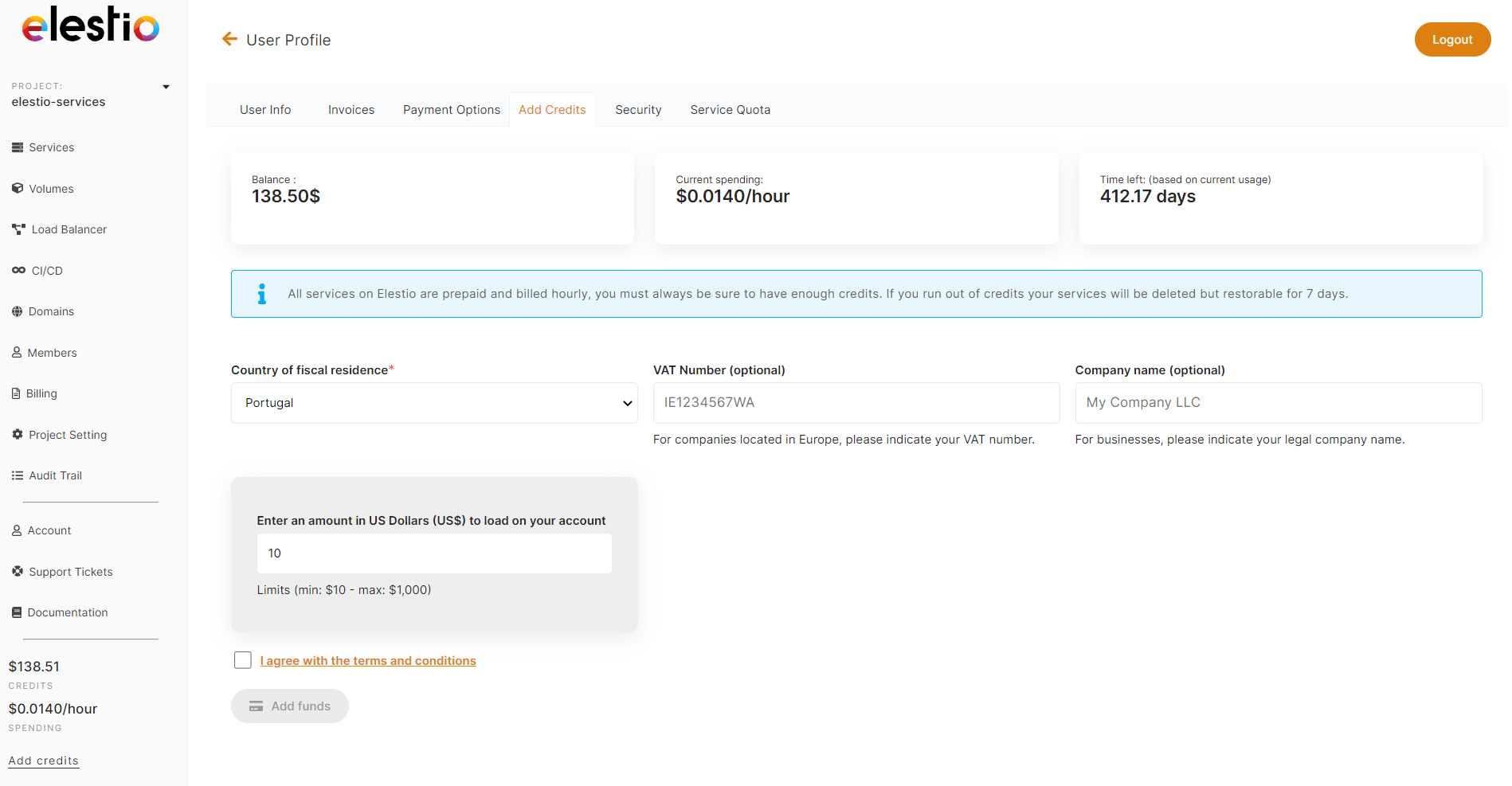
You can easily add credits to your elestio account from your User Profile*.*  
  
1\. Click on the User Icon to access your *User Profile* in the top left above the Main Navigation menu.  
2\. Select the *Add Credits* tab.  
3\. Enter the amount you wish to add to your account, in US dollars (USD).  
4\. Click the *Pay Now.* You will be redirected to the Stripe checkout site to complete your payment.

<p class="callout success">Funds are automatically added to your account upon successful payment. This can take up to a few minutes, but is usually instantaneous.</p>

<p class="callout info">elestio has a $10 minimum, and a $1,000 maximum per transaction.   
If you would like to add a larger amount to your account, [contact our sales team](mailto:sales@elest.io) and we'd be happy to talk volume discounts!</p>

<p class="callout warning">If you are a company, please fill out the company relevant fields. This helps us to determine your tax status and whether or not you need to pay VAT.</p>

[![Screenshot 2022-09-28 174343.png](https://docs.elest.io/uploads/images/gallery/2022-09/screenshot-2022-09-28-174343.png)](https://docs.elest.io/uploads/images/gallery/2022-02/screenshot-2022-02-12-at-22-15-13.png)