# Buying a Domain from Elest.io
> ##### Great brand names are like magnets that people gravitate towards. Try [https://elest.io/domains](https://t.co/A6jnS1w95h) domains to get your business's unique brand identity.
In today's fast-paced digital world, establishing a strong online presence is crucial for businesses, individuals, and creative projects alike. One of the foundational steps in building this presence is securing a domain name that reflects your brand, vision, or purpose. In this guide, we'll walk you through the process of purchasing a domain from Elest.io, a trusted domain registration platform known for its user-friendly interface and reliable services.
### Why Choose Elest.io?
##### Elest.io stands out as a reputable domain registration platform for several reasons:
1. **Simplicity and User-Friendly Experience:** Navigating through the domain purchasing process can be intimidating, especially for newcomers. Elest.io's intuitive interface makes the process easy, even for those with minimal technical experience.
**2. Wide Range of Domain Extensions:** Elest.io offers a diverse selection of domain extensions, from the classic ".com" to more specialized options like ".io," ".tech," and ".app." This ensures you'll find a domain that aligns perfectly with your project's identity.
**3. Transparent Pricing:** Transparent pricing is a hallmark of Elest.io's approach. You won't encounter hidden fees or surprises during the checkout process. What you see is what you pay.
### Step-by-Step Guide to Purchasing a Domain from Elest.io:
##### **Step 1: Navigate to Elest.io**
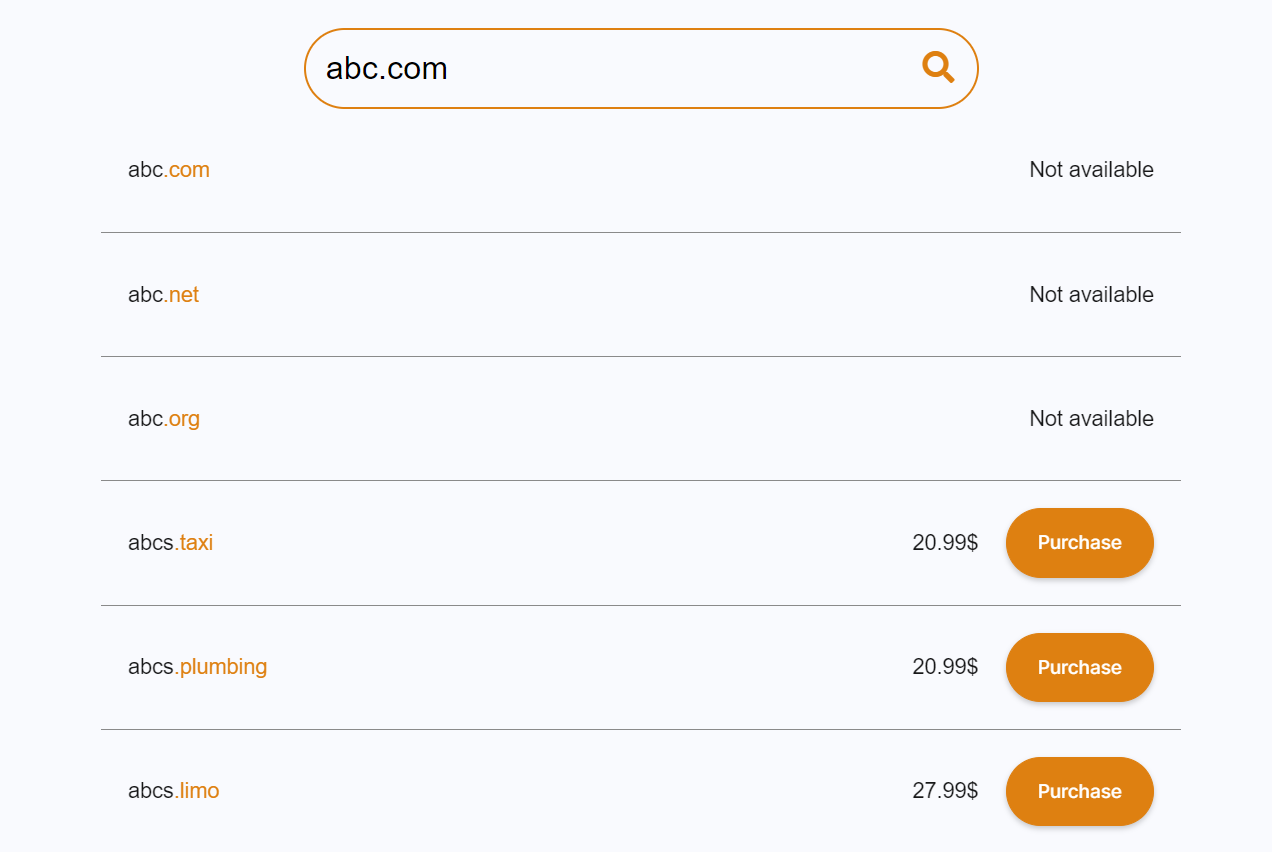
Visit the [**Elest.io**](https://elest.io/ "Elest.io") website and navigate to domains inside the "***Features**"* Tab https://elest.io/domains use the search bar to input your desired domain name. The platform will instantly display available domain options.
##### **Step 2: Choose Your Domain**
Select the domain name that best suits your needs. Keep in mind that shorter, memorable names are often more effective. If your first choice isn't available, Elest.io might suggest alternatives that maintain the essence of your original idea.
[](https://docs.elest.io/uploads/images/gallery/2023-08/screenshot-2023-08-18-175401.png)
##### **Step 3: Check Availability and Pricing**
Elest.io will provide real-time information about the availability of your chosen domain name.
[](https://docs.elest.io/uploads/images/gallery/2023-08/screenshot-2023-08-18-175528.png)
##### **Step 4: Purchase**
When you're happy with your choice and it's available, click the "***Purchase"* **button, which will take you to the Elestio dashboard where you may complete the rest of the process.
[](https://docs.elest.io/uploads/images/gallery/2023-08/screenshot-2023-08-18-175614.png)
##### **Step 5: Review and Proceed**
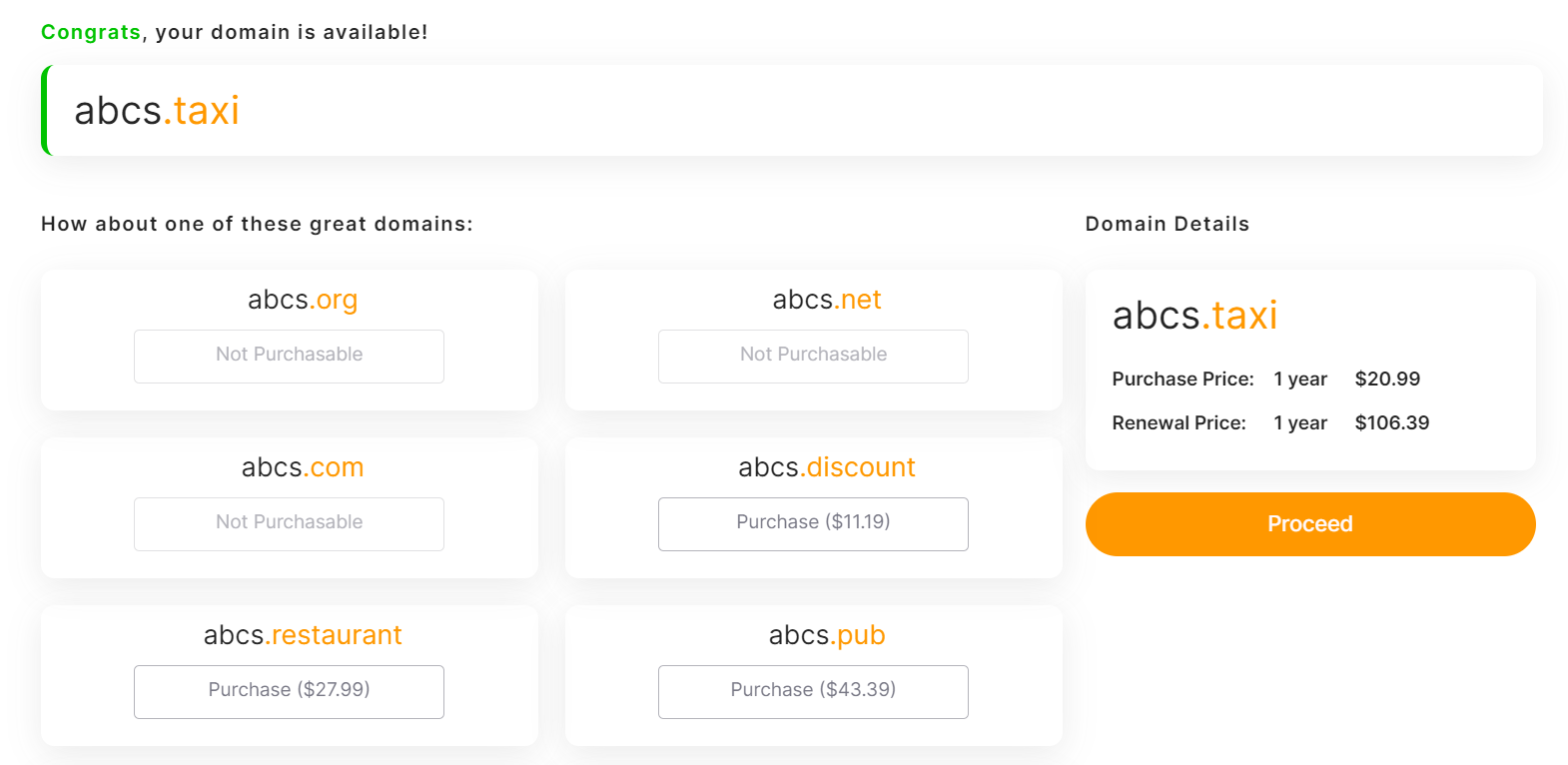
You can evaluate your domain pricing and alternative domain options here. Then, after reviewing, click the "***Proceed"*** button to move on to the next stage.
[](https://docs.elest.io/uploads/images/gallery/2023-08/screenshot-2023-08-18-175659.png)
##### **Step 6: Personal Details and Year Selection.**
**Elest.io takes data security seriously, so you can rest assured that your information is in safe hands.**
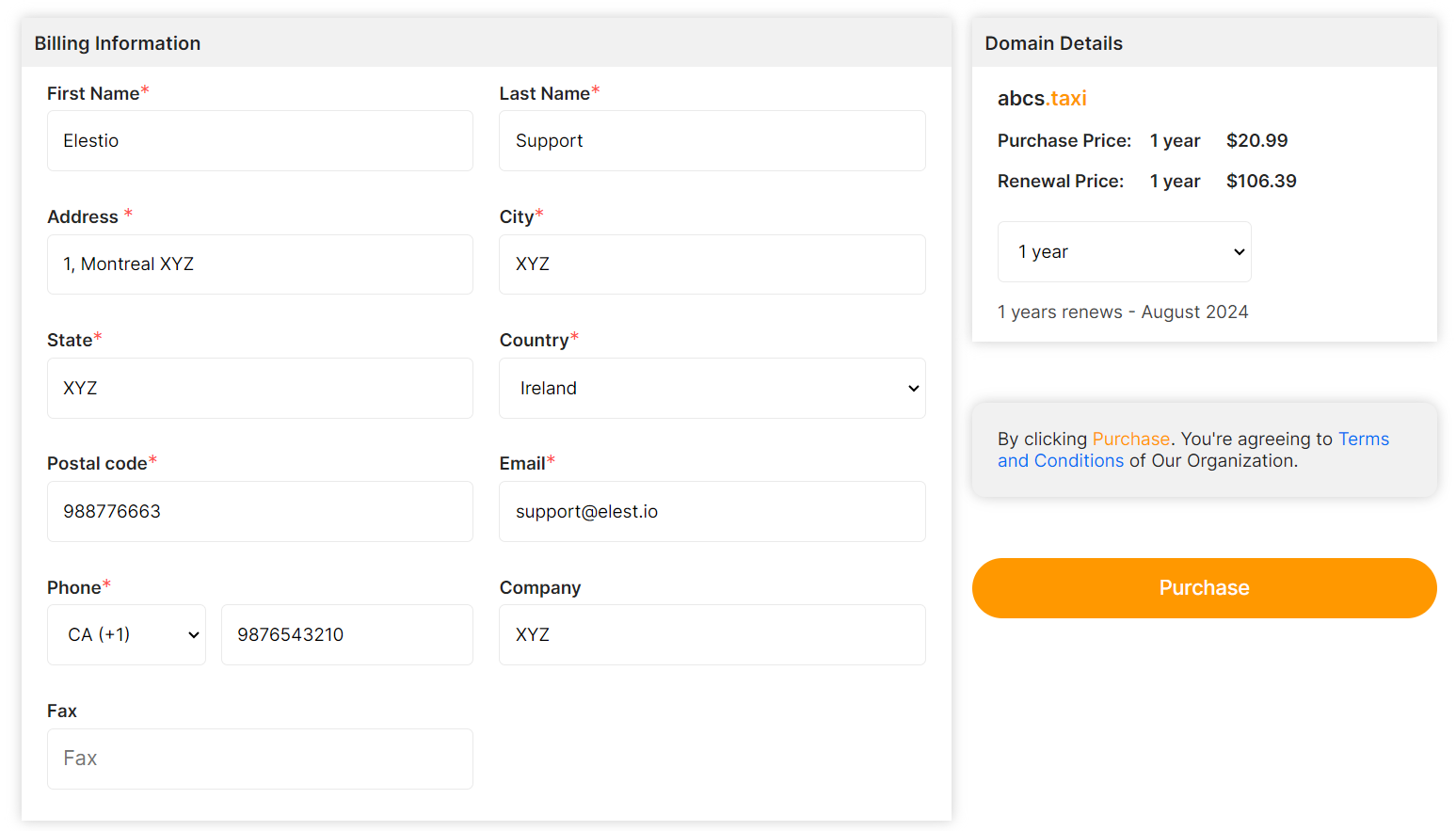
Review and update your personal information to make sure it is complete and accurate. Choose how many years you wish to register your domain for as well. Using the renewal domain option after acquiring a domain, you may easily change the registration year.
[](https://docs.elest.io/uploads/images/gallery/2023-08/screenshot-2023-08-18-175831.png)
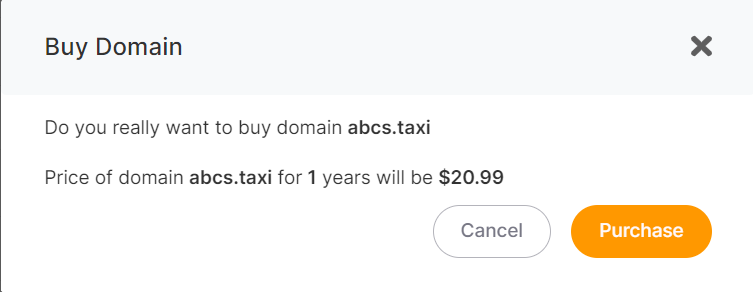
After clicking the "***Purchase***" button, you will be asked to confirm your purchase by reviewing the domain name, price, and number of years. Click the "***Confirm***" button to confirm the purchase.
[](https://docs.elest.io/uploads/images/gallery/2023-08/screenshot-2023-08-18-175915.png)
It will just take a few seconds for your domain to be purchased and added to your project's Domains list🚀