**Use the category tabs to filter the selection of software.** [](https://docs.elest.io/uploads/images/gallery/2022-09/screenshot-2022-09-25-at-11-37-39.png)
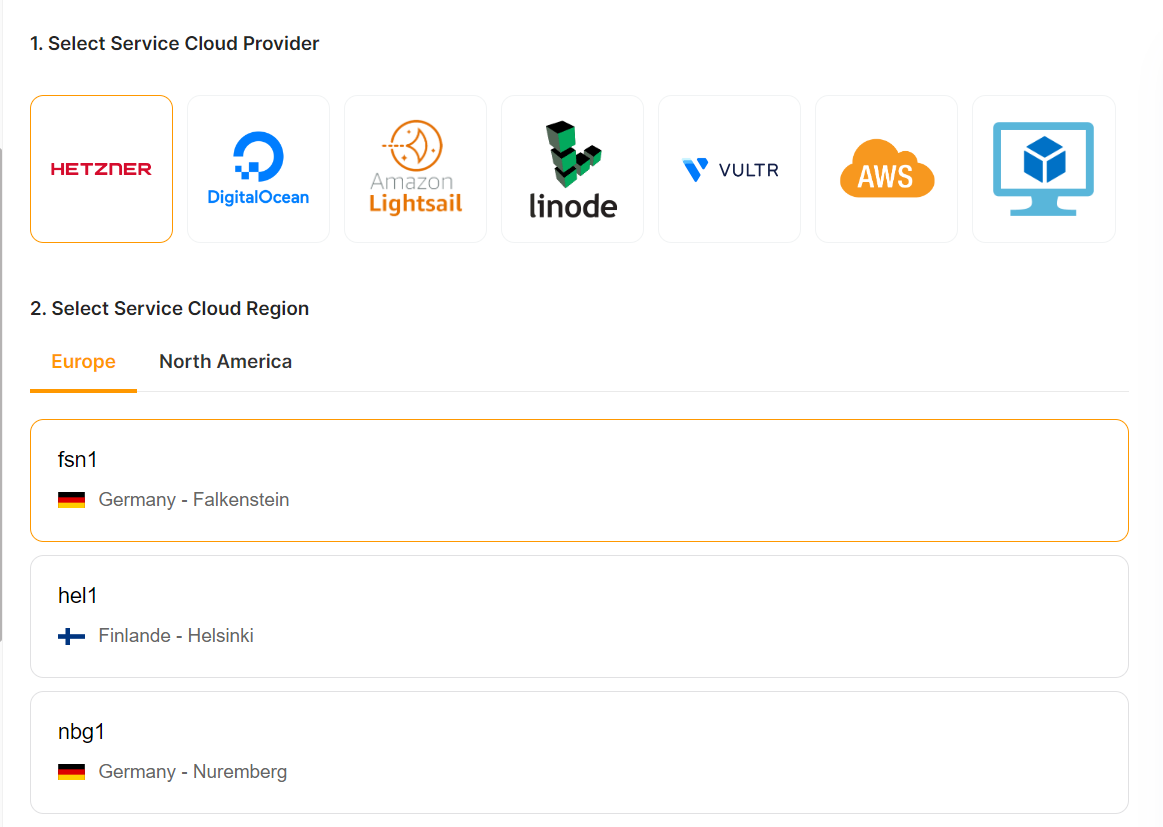
##### Choose the template you want to deploy and click the *select* button for the next step. If you want to learn more about that template, click the *details* button. ##### 2. Select a provider, region, and data center in which to deploy your serviceIf you want to deploy the service on AWS, please see our [***documentation*** ](https://docs.elest.io/books/getting-started/page/create-a-new-service-with-bring-your-own-aws-account-byoaws "https://docs.elest.io/books/getting-started/page/create-a-new-service-with-bring-your-own-aws-account-byoaws")on how to do so.
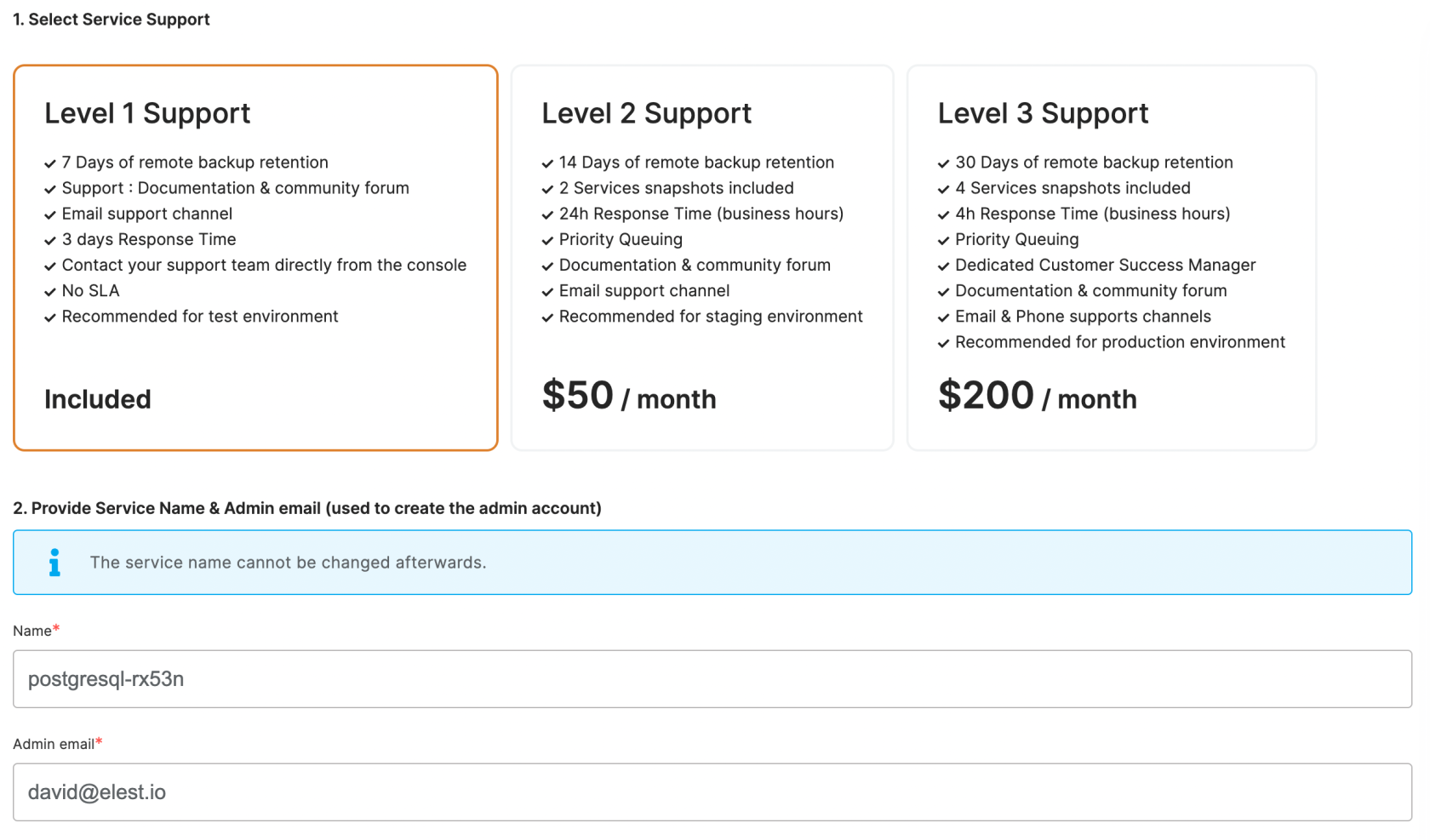
[](https://docs.elest.io/uploads/images/gallery/2023-02/screenshot-2023-02-20-180020.png) ##### 3. Select the instance size that works for you [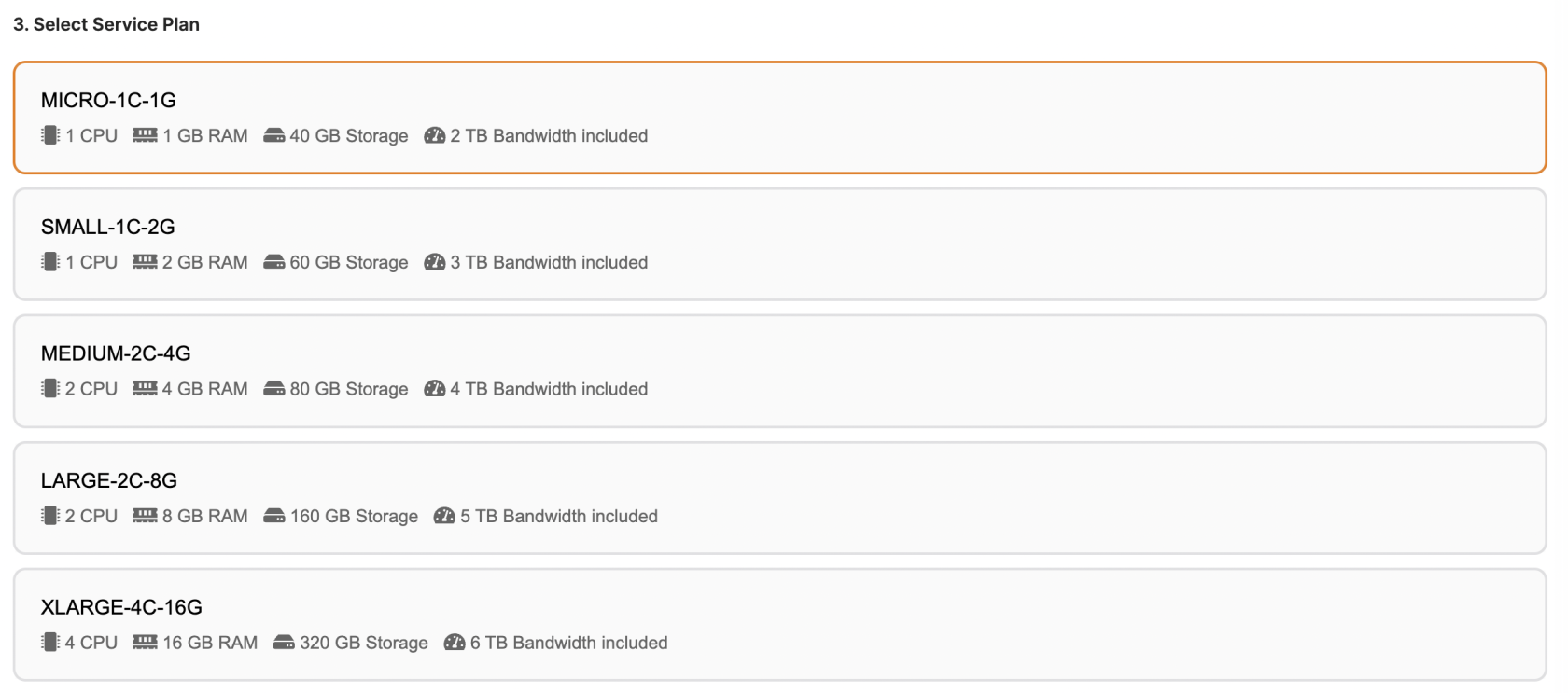](https://docs.elest.io/uploads/images/gallery/2022-09/screenshot-2022-09-25-at-11-45-10.png) ##### 5. Set the support plans, and maintenance windows for OS & software updates and give a name to your new serviceOS updates include updates to the Linux kernel, security patches, and other important maintenance to keep your instance running smoothly.
Software updates update the code of the open-source application itself. We respect semantic versioning, so we will only implement minor and patch updates, in order to avoid non-breaking changes.
Maintenance windows are specified in UTC
[](https://docs.elest.io/uploads/images/gallery/2022-09/screenshot-2022-09-25-at-11-46-45.png) ##### 6. Click the "Create Service" button on the right when you are ready to deploy [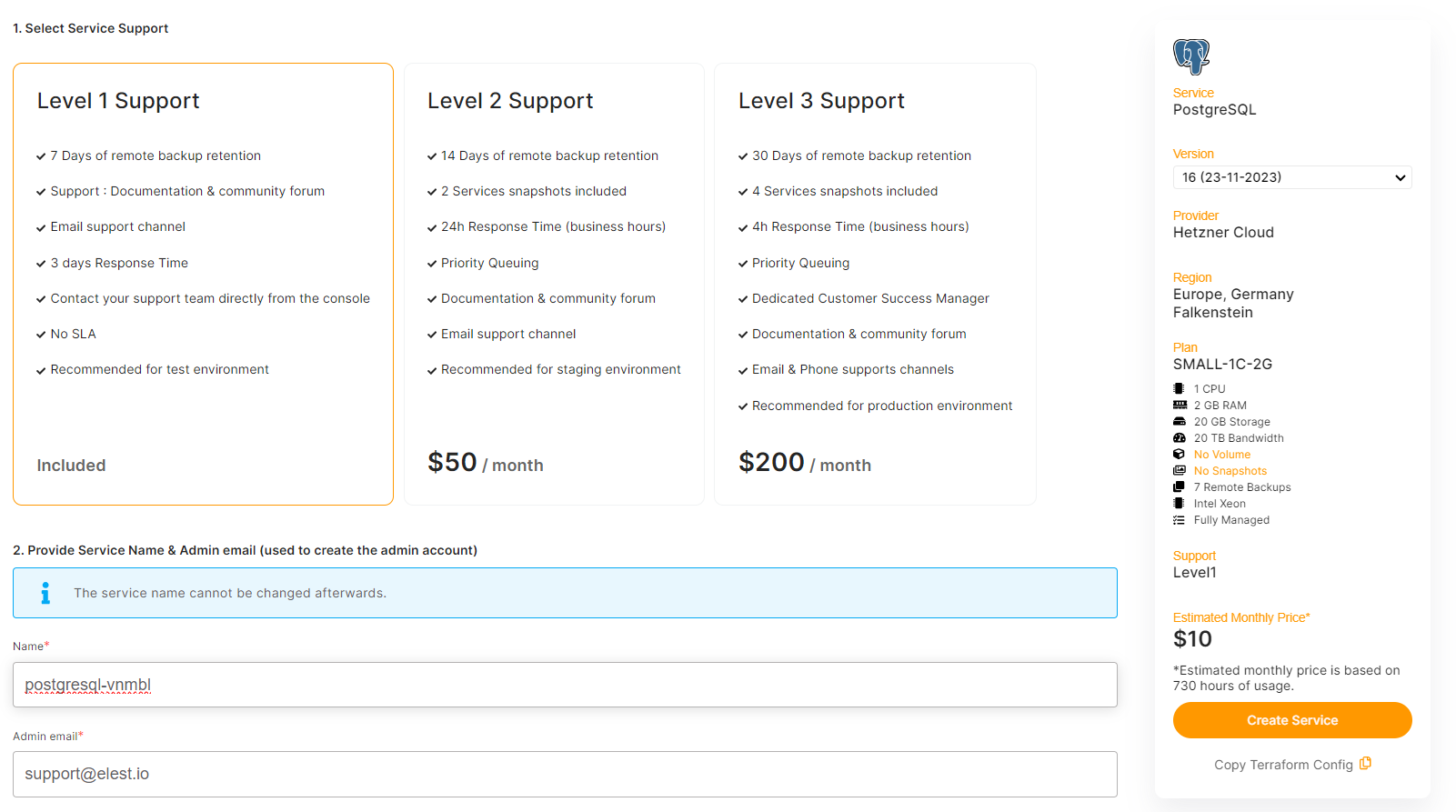](https://docs.elest.io/uploads/images/gallery/2023-11/screenshot-2023-11-28-235134.png) [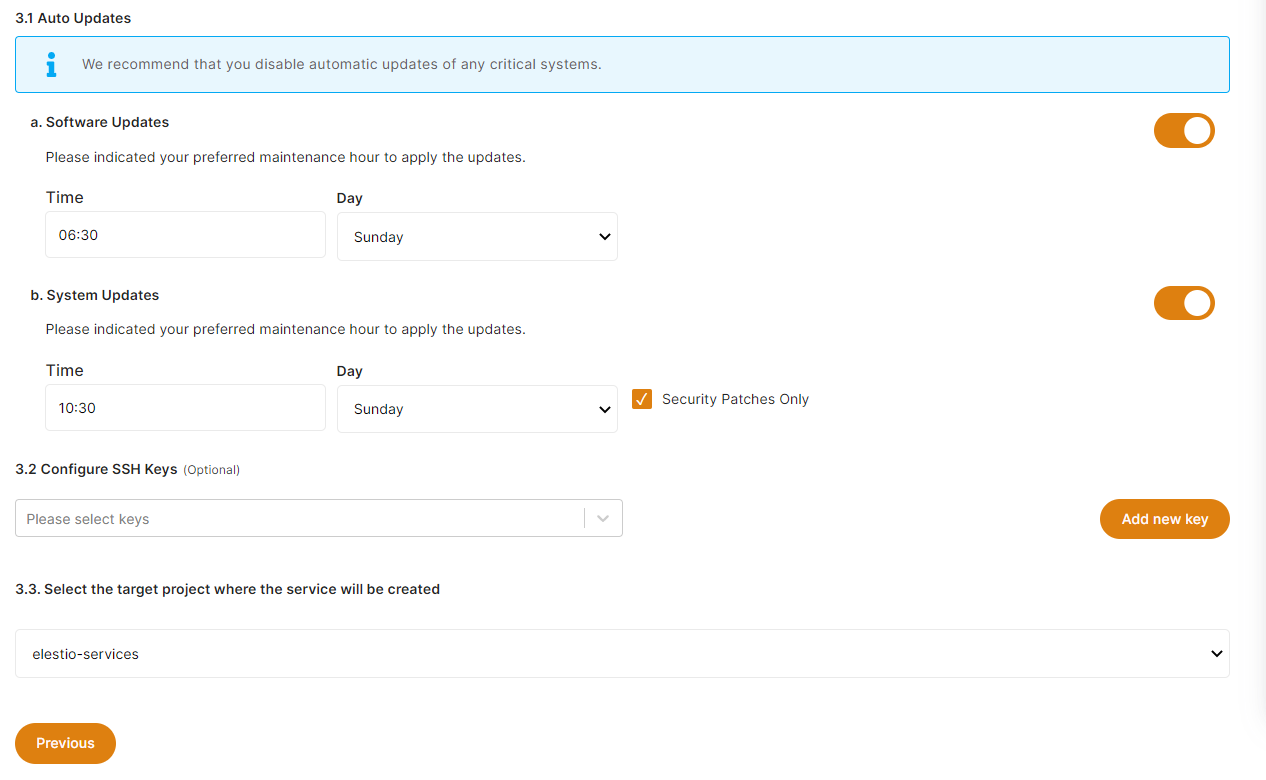](https://docs.elest.io/uploads/images/gallery/2022-09/screenshot-2022-09-25-at-11-47-56.png) ##### 7. After a few seconds your new service will appear in the list with a status: "Service is in deployment". It should only take 2-3 minutes before your service will be ready to use. [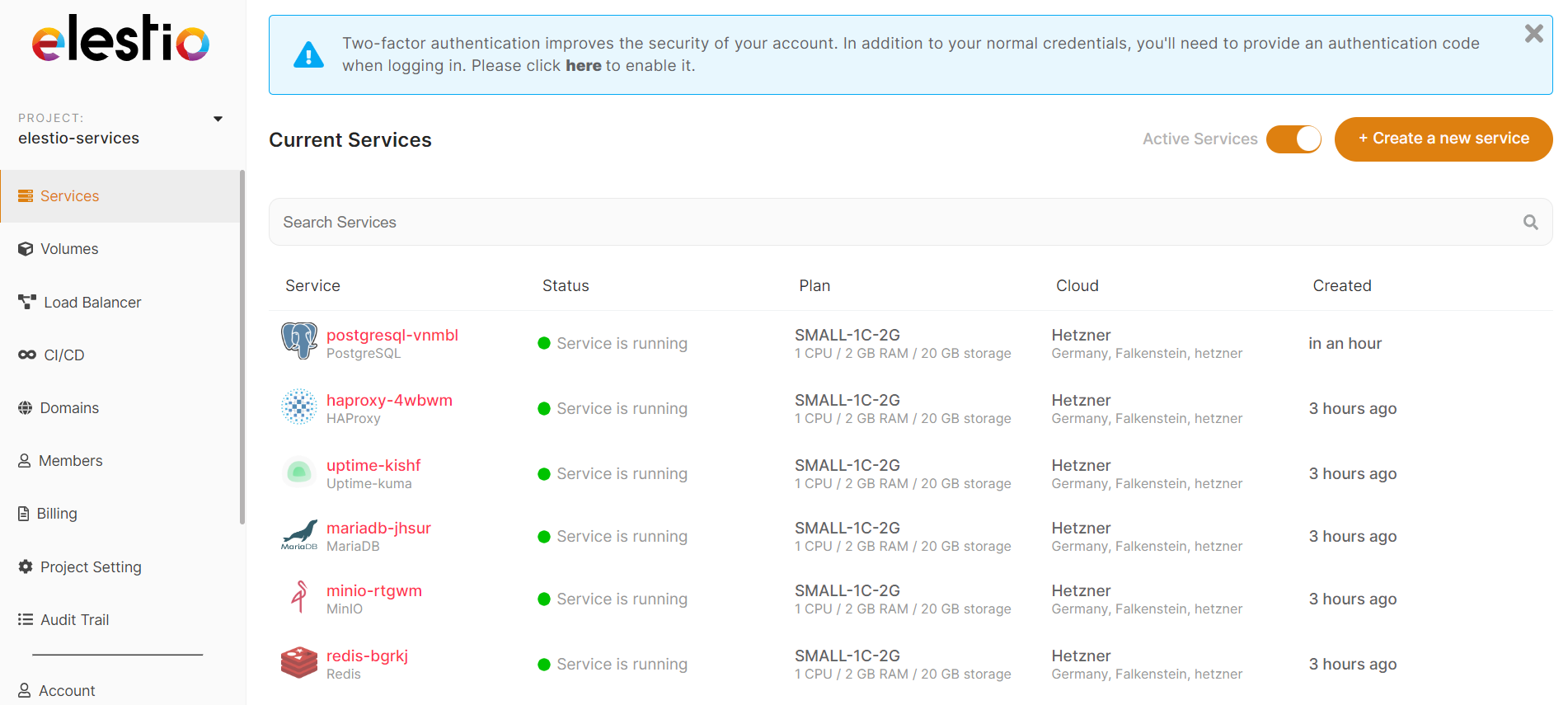](https://docs.elest.io/uploads/images/gallery/2022-01/image-1641899401774.png) ##### Once your service is ready you will get an email with details about the deployment of your software. ##### The URL and credentials to access the web UI or database application are also available in the **[Service Overview](https://docs.elest.io/books/service-dashboard/chapter/overview "Overview")** ##### **[Get started on the elestio dashboard,](https://dash.elest.io/) or [read more about it in our documentation.](https://docs.elest.io/shelves/getting-started)**