# Delete a member
You can easily delete a member from your project when and if you need to.
Only admins can delete other members.
To delete a member:
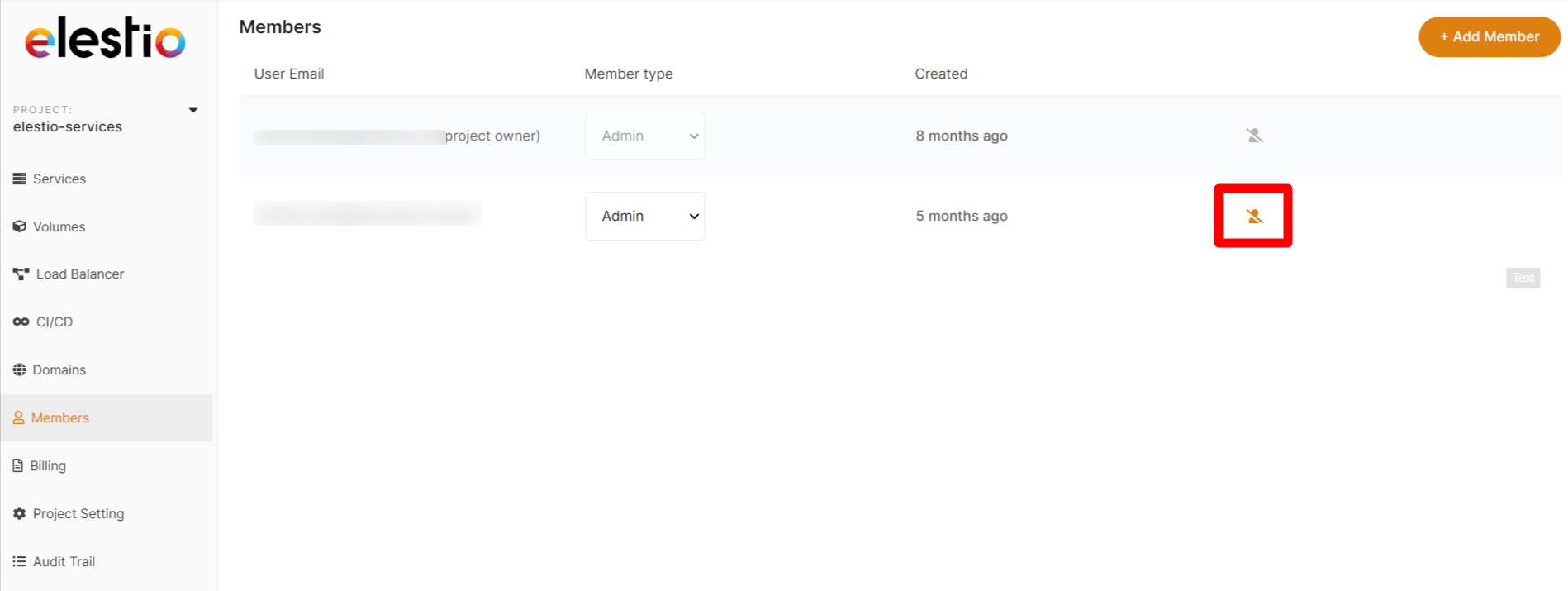
1\. Select `Members` from the Main menu tab on the left of the Dashboard.
2\. Click on the user icon to the right of the user you wish to delete.
3\. Confirm you really wish to delete the user before pressing `Remove`
4\. Deleted users will automatically lose access to your elestio project.
Deleting a member from the elestio dashboard only removes their access to elestio, not your deployed services.
If appropriate, please consider revisiting your service credentials.
The project owner cannot be deleted by other Admins.
[](https://docs.elest.io/uploads/images/gallery/2022-01/image-1643497239284-48-56.png)