WARNING: Your domain DNS entry **must have a GRAY cloud, not an ORANGE (proxied) cloud next to the entry.**
[**Using Cloudflare's proxy for your domain without additional configuration will cause all incoming connections to fail!**](https://docs.elest.io/uploads/images/gallery/2023-07/image.png)
[ This is the correct image shown for DNS-only entries.](https://docs.elest.io/uploads/images/gallery/2023-07/gMYimage.png)
##### **Cloudflare Proxy** Even though Elest.io automatically provides SSL and has a firewall, there can be advantages to using Cloudflare for Proxying traffic, notably DDoS attacks and automatic filtering of scripted attacks.Note: [Cloudflare only proxies traffic on certain ports.](https://developers.cloudflare.com/fundamentals/get-started/reference/network-ports/) If you want to use this hostname for SSH, FTP, or other services whose ports are not listed in the above link, you must configure Cloudflare to provide DNS only or use [Cloudflare's Spectrum offer.](https://www.cloudflare.com/en-gb/products/cloudflare-spectrum/)
Because Elest.io already creates an SSL certificate for your website trusted by a root CA, the recommended configuration is to set Cloudflare to use Strict SSL verification when connecting to your server.Before continuing, ensure you have already configured the domains [as per the instructions on the previous page.](https://docs.elest.io/books/security/page/custom-domain-and-automated-encryption-ssltls)
##### Option 1: To set up strict SSL verification for your **whole domain**: 1. Navigate to the `SSL/TLS` section of your domain's dashboard. 2. Select the `"Full (strict)"` option. 3. Your changes will be saved automatically. You're done! [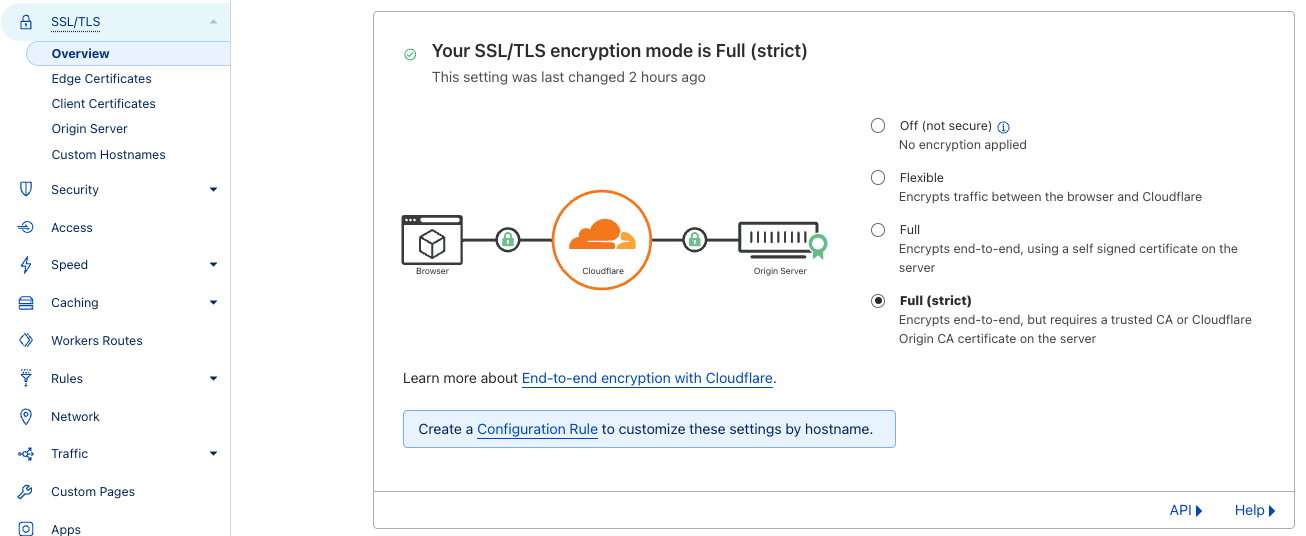](https://docs.elest.io/uploads/images/gallery/2023-07/screen-shot-2023-07-17-at-17-57-34.png) ##### Option 2: To set up strict SSL verification for a **specific subdomain:** 1. In your domain's dashboard, navigate to `Rules > Configuration Rules` and click `Create Rule` 2. Name your rule, and configure the incoming request filters. [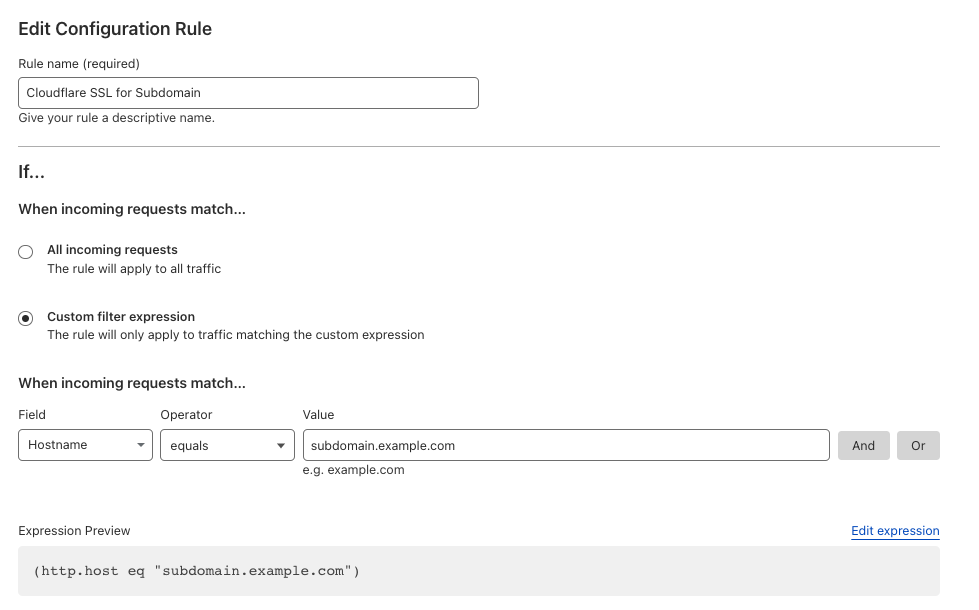](https://docs.elest.io/uploads/images/gallery/2023-07/screen-shot-2023-07-17-at-18-07-16.png) 3\. Configure the SSL to `Strict` [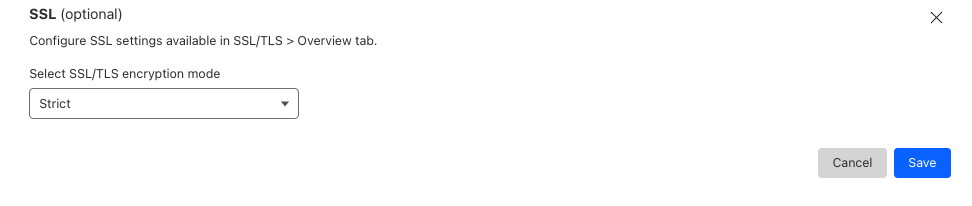](https://docs.elest.io/uploads/images/gallery/2023-07/screen-shot-2023-07-17-at-18-06-58.png) 4\. Click `Save` ##### Option 3: Manual configuration (Advanced) If you need a custom implementation, you can disable the creation of an SSL certificate with the following steps.Create a CNAME record for your Cloudflare entry and point to the CNAME provided for that service in the Elestio dashboard.
These changes can be overwritten in the future if you modify the list of domains via the Elest.io dashboard.
1\) Connect to the VM with SSH and type this: **nano /opt/elestio/nginx/.env** there remove your domain from the first line and save with CTRL+X then type this command: **cd /opt/elestio/nginx;** **docker-compose down;** **docker-compose up -d;** After that, nginx won't try again to obtain an SSL certificate for your domain.