Nodes management

Once001.png
your cluster is deployed,

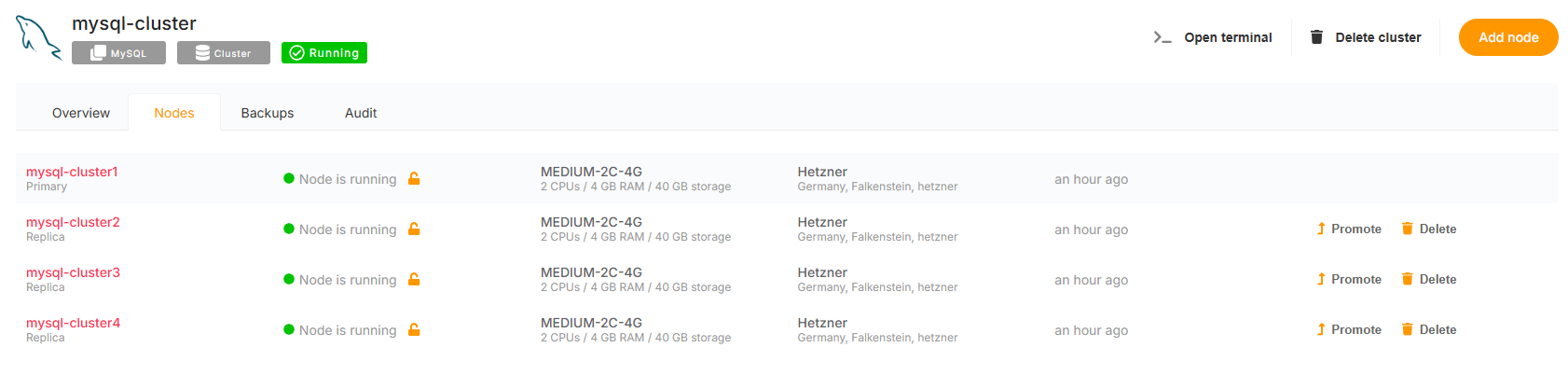
If you can access it through the Clusters tabclick on the left.Nodes Here,tab, you will see a newlist entryof all your nodes with thedetailed nameinformation, ofsuch your cluster. In our example, it will appear as mysql-cluster.

001.png

By clicking on the cluster name, you will access the Overview of your cluster.

The Overview is divided into two parts:

    Cluster Management Options General informations
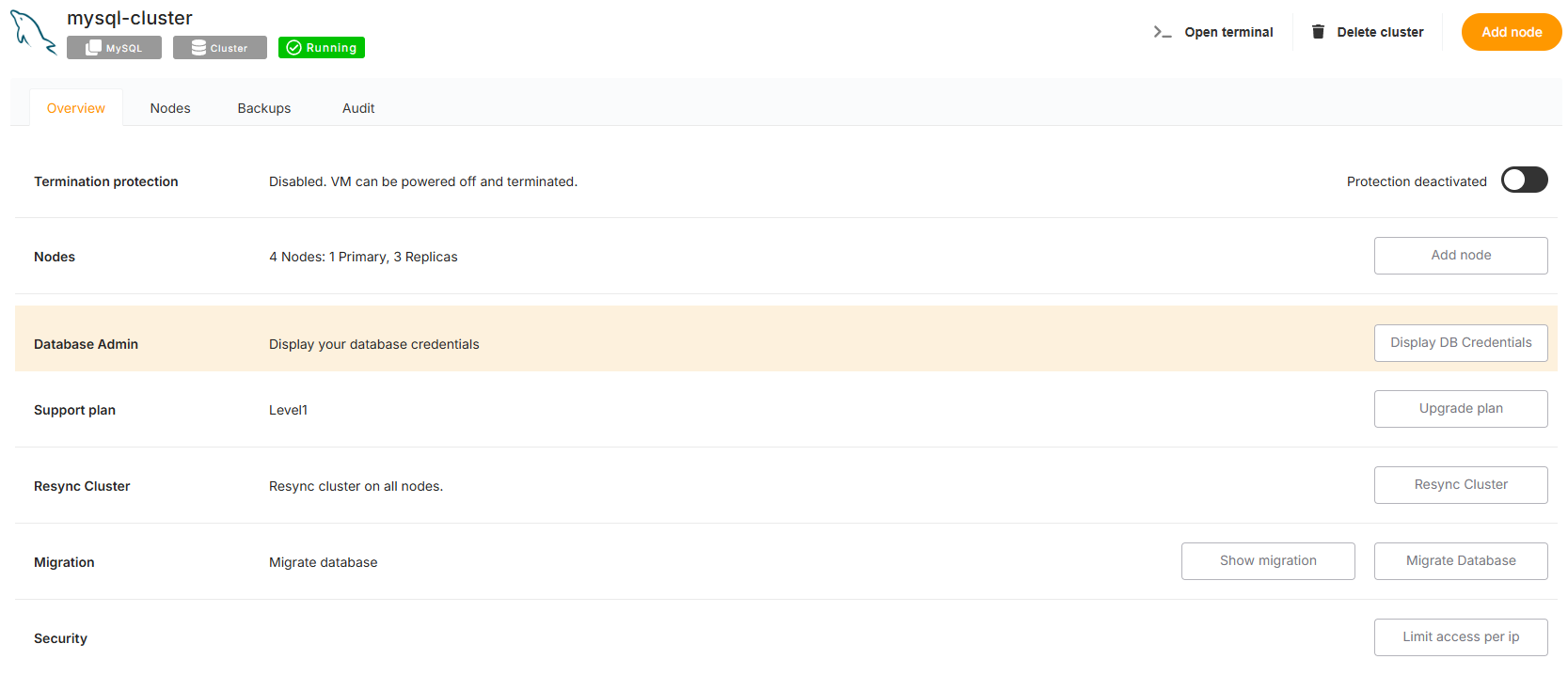
     

    Cluster Management Options

    002.png


    This section provides tools to manage and control your cluster:as:

    • ProtectionNode Role: PreventIndicates accidental deletion of your cluster by enablingwhether the locknode option.
    Add Node: Addis a new node to your cluster. Any added node will automatically function as a replica. Upgrade Plan: Update the support plan for your cluster to higher levels, such as Level 2Primary or a Level 3Replica. Resync ClusterStatus: IfDisplays onewhether the node is running or morenot. replicasSpecifications: goIncludes down,details useabout thisCPU, optionRAM, toand resynchronizestorage. themLocation: withShows the primarydata center and provider hosting the node. MigrationActions: Seamlessly migrate a database to your cluster. Limit Access per IP: Restrict access to your cluster to specific IP addresses for improved security.


    General Information

    003.png


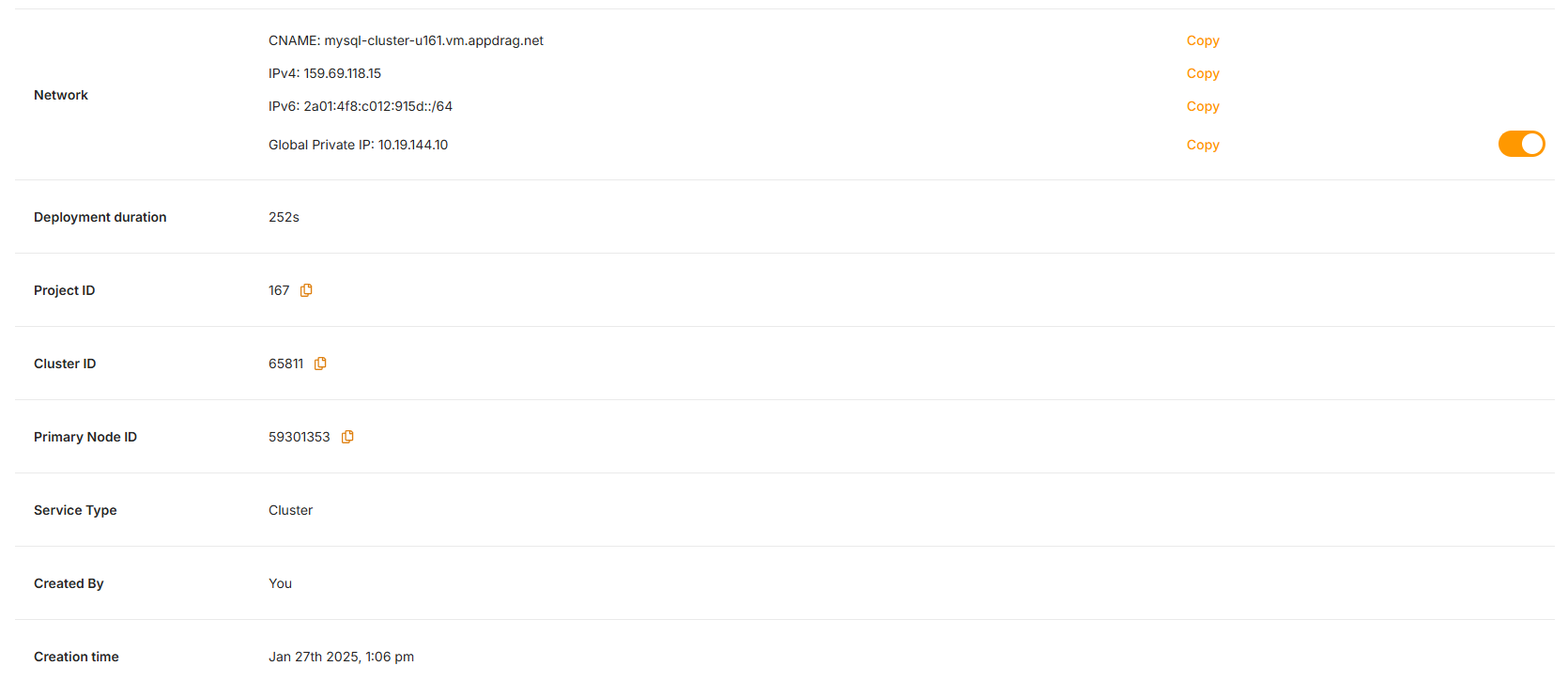
    This section provides key details about your cluster, including:

    • CNAMEPromote: TheAllows fullyyou qualifiedto domainpromote namea forReplica yournode cluster.to Ina ourPrimary example: mysql-cluster-u161.vm.appdrag.net.node.
    • NetworkDelete: DisplaysProvides the IPoption addressesto associatedremove witha node from the cluster:
      • IPv4: 159.69.118.15
      IPv6: 2a01:4f8:c012:915d::/64 Global Private IP: 10.19.144.10cluster. Deployment Duration:

      This Theinterface timemakes takenit easy to deploy the cluster.

      Project ID: The unique identifier for the project. Cluster ID: The unique identifier for the cluster. Primary Node ID: The ID of the primary node. Service Type: Specifies the type of service. Created By: The creator of the cluster. Creation Time: The datemonitor and timemanage theyour clusternodes was created. efficiently.