
Import an existing resource
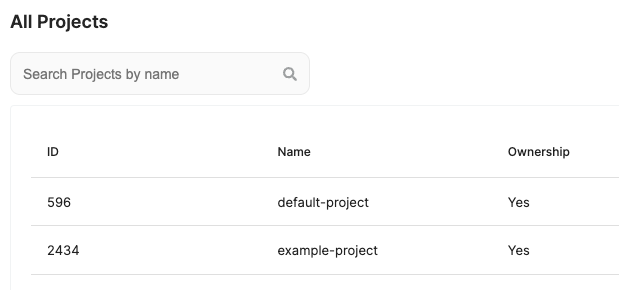
If you want to import in the Elestio state an existing project or service already running, you can use the terraform import command.
Project
# Import a project by specifying the project ID.
terraform import elestio_project.myawesomeproject project_idresource "elestio_project" "example_project" {
name = "example-project"
# ...
}
Execute the import command
terraform import elestio_project.exemple_project 2434Then you can run a terraform apply command and elestio will handle your project resource as an update and not a new resource to create.
Service
# Import a service by specifying the Project ID it belongs to, and the service ID (spaced by a comma).
terraform import elestio_service.myawesomeservice project_id,service_idresource "elestio_postgres" "exemple_postgres" {
project_id = elestio_project.exemple_project.id
# ...
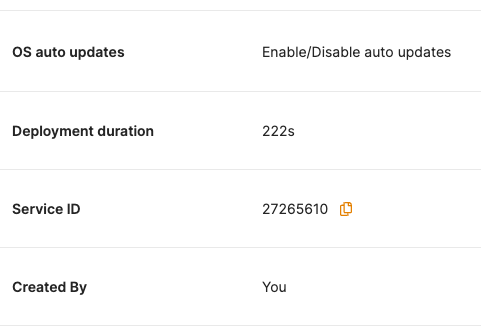
}Retrieve your ServiceID on the service page.
Execute the import command
terraform import elestio_postgres.exemple_postgres 2434,27265610Then you can run a terraform apply command and elestio will handle your service resource as an update and not a new resource to create.