Clone CI/CD pipeline
When distributing your project pipeline across the Production, Staging, and Test environments, you might want to copy a deployed CI/CD pipeline from one target to another or the same target. When using Elestio, you can safely clone a pipeline between identical, new, or existing targets even if it contains data.
To clone a CI/CD Pipeline, follow these steps:
- From the Elestio dashboard, click on CI/CD in the left menu then click on your pipeline to open the overview.
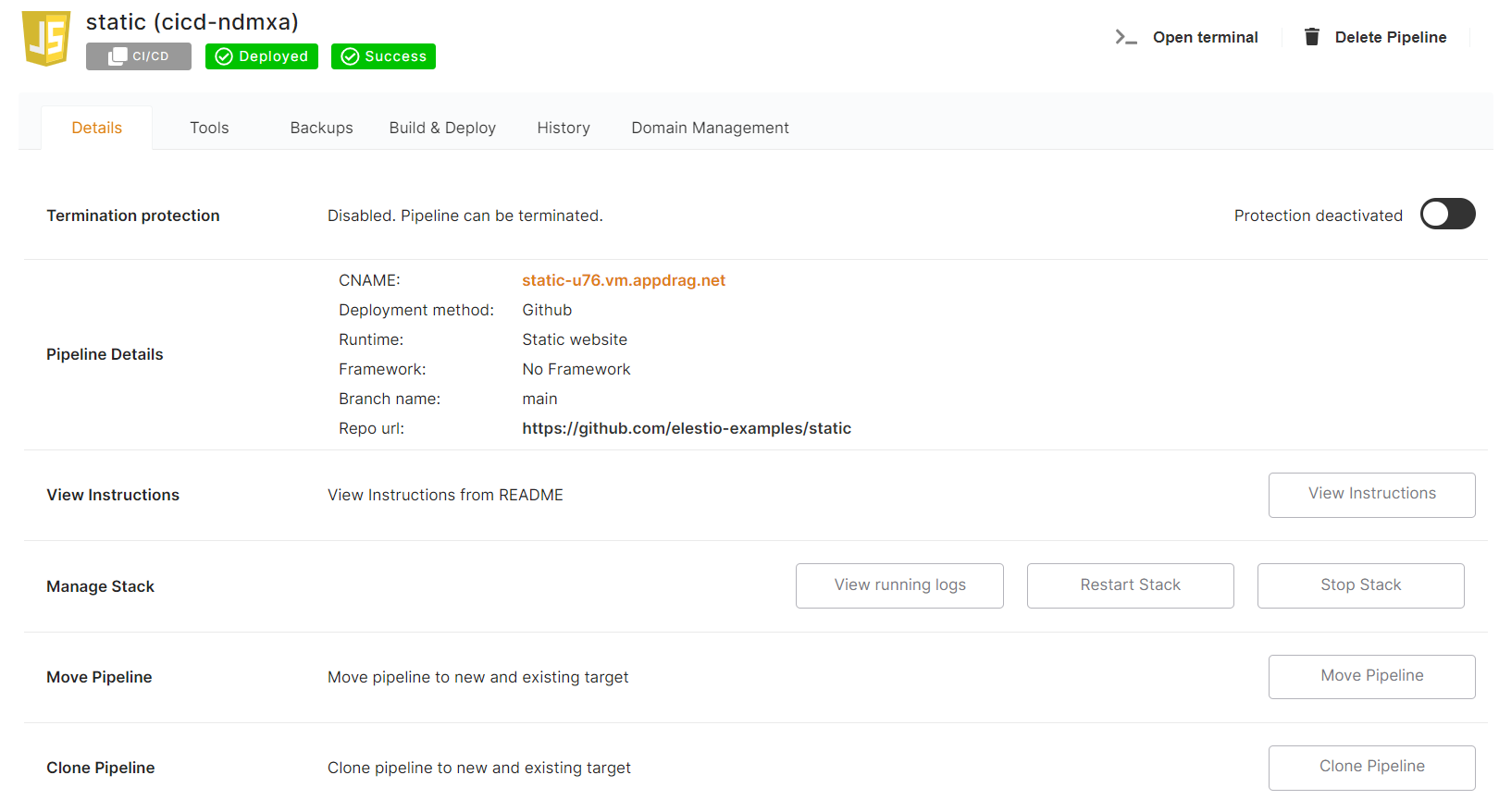
- Click on the Clone Pipeline button
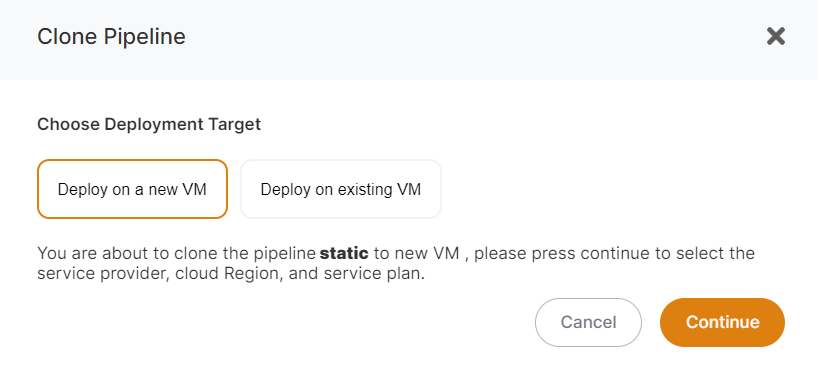 You can then identify whether you want to clone your pipeline to the same, new, or existing infrastructure or VM/target.
If you choose to Deploy on an existing VM, you must select the existing CI/CD target from the list; if you choose to Deploy on a new VM, you must specify the Provider / Region / VM Size to create; and if you want to clone on the same VM, choose to Deploy on an existing VM and select the same target name from the targets dropdown.
When cloning a pipeline for all VMs (same, new, or existing), make sure the new pipeline name differs from the source pipeline name.
You can then identify whether you want to clone your pipeline to the same, new, or existing infrastructure or VM/target.
If you choose to Deploy on an existing VM, you must select the existing CI/CD target from the list; if you choose to Deploy on a new VM, you must specify the Provider / Region / VM Size to create; and if you want to clone on the same VM, choose to Deploy on an existing VM and select the same target name from the targets dropdown.
When cloning a pipeline for all VMs (same, new, or existing), make sure the new pipeline name differs from the source pipeline name.
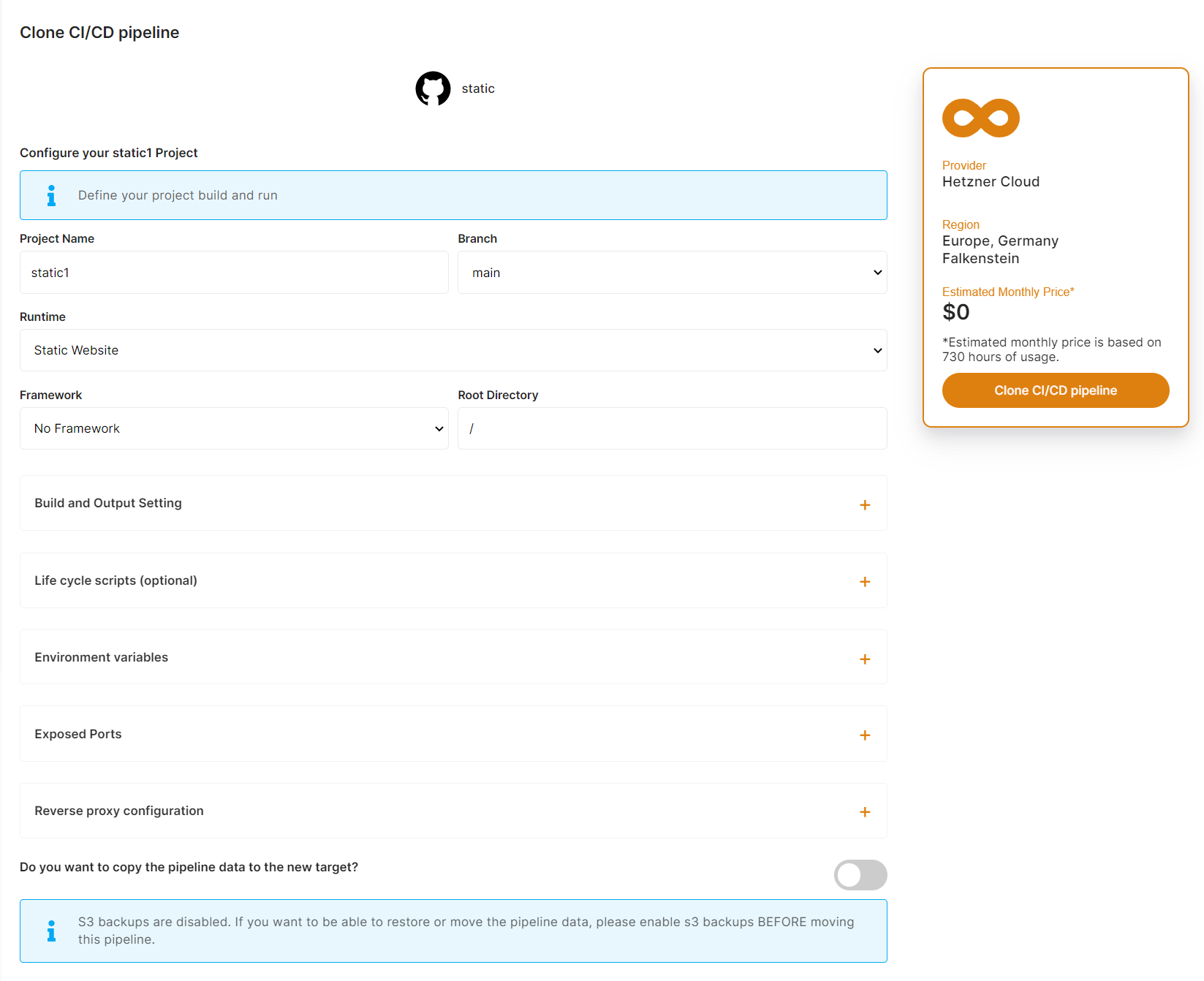 Cloning a pipeline to another existing or identical CI/CD target is completely free.
When you clone a pipeline we are automating those operations:
Cloning a pipeline to another existing or identical CI/CD target is completely free.
When you clone a pipeline we are automating those operations:
- Do a fresh backup of your data on S3 (Backups must be activated before cloning your pipeline) if you choose to copy the data.
- (New VM only): Deploying a new VM that will be used as the new CI/CD target
- Deploy the pipeline (from source or from docker registry) on the target
- Restore the latest backup we took at step one from S3
- Check if the pipeline is running correctly on the new target, if not cancel the operation and send a warning email
- Send a confirmation email when the pipeline is cloned and ready The whole process usually takes less than 3 minutes, but it can last longer in some cases.