GitLab Self-Hosted: Personal Access Token Setup
Create a personal access token on your self-hosted GitLab so Elestio can connect to your repositories.
When connecting a self-hosted GitLab instance to Elestio CI/CD, you must provide a Personal Access Token (PAT) with the api scope. This guide explains exactly how to create it and why that specific scope is required.
Step-by-step: Create a Personal Access Token
-
Sign in to your self-hosted GitLab instance.
-
Click your avatar (top-right) → Preferences → Access Tokens
(or go directly to/-/profile/personal_access_tokens) -
Fill in:
- Token name — e.g.
elestio-cicd - Expiration date — optional, depending on your team’s policy
- Token name — e.g.
-
Under "Select scopes," enable only the
apiscope (details below). -
Click Create personal access token.
-
Copy the token immediately — GitLab will not display it again.
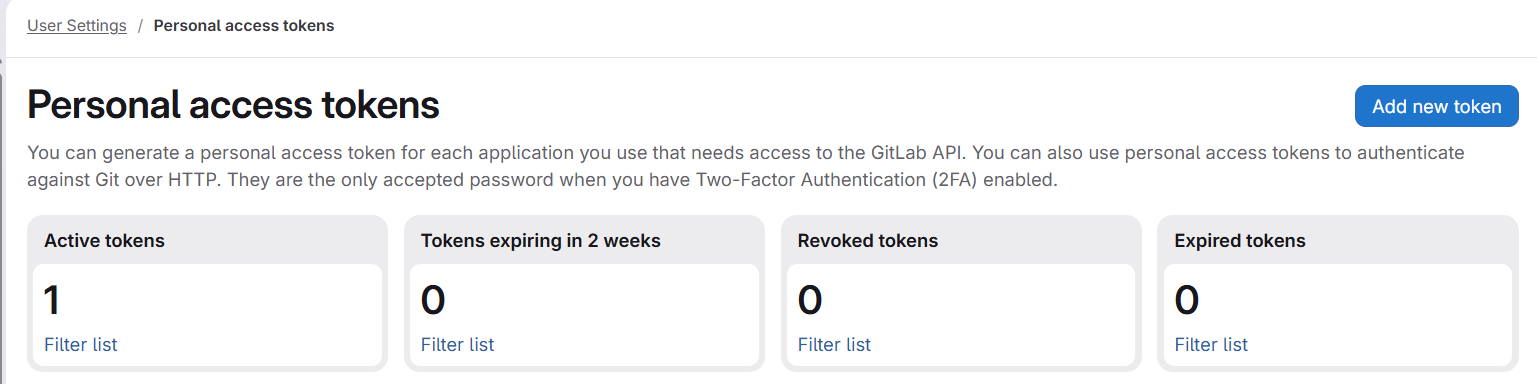
Required scope: api (mandatory, no substitutes)
| Scope | Why it is needed |
|---|---|
api | Mandatory. Grants full REST API read/write access. Elestio requires this for creating and deleting webhooks (to track pushes), managing deploy keys (SSH access for CI runners), creating projects from templates, listing projects and groups, reading repository content, and performing git-over-HTTPS operations (oauth2:@...) during deployments. |
Why narrower scopes are not enough
It may seem possible to combine smaller scopes, but in practice, they do not cover what CI/CD needs:
| Scope | What it covers | What it is missing |
|---|---|---|
read_api | Read-only REST API | No write access |
read_repository | git clone over HTTPS | No API access |
write_repository | git push over HTTPS | No API access |
read_user | Basic user info (GET /api/v4/user) | No repo/project access |
Even combining all of the above still does not allow the following:
- Creating webhooks
- Managing deploy keys
- Creating projects
These require REST API write permissions, which are only available via the api scope.
If you attempt to use limited scopes, deployments will fail with the following:
insufficient_scope
GitLab version note
Elestio verifies token scopes using the following:
GET /api/v4/personal_access_tokens/self
This endpoint was introduced in GitLab 13.5 (October 2020).
- On newer versions → scope is validated directly
- On older versions → validation is skipped
However, the api scope is still required for CI/CD to function correctly, regardless of version.
Admin settings required for template-based project creation
If you use “Create repo from Elestio template," GitLab must allow imports from external URLs.
Enable this setting:
- Go to Admin Area
- Navigate to Settings → General
- Expand Import and export settings
- Enable Allow imports from external URLs
- Save changes
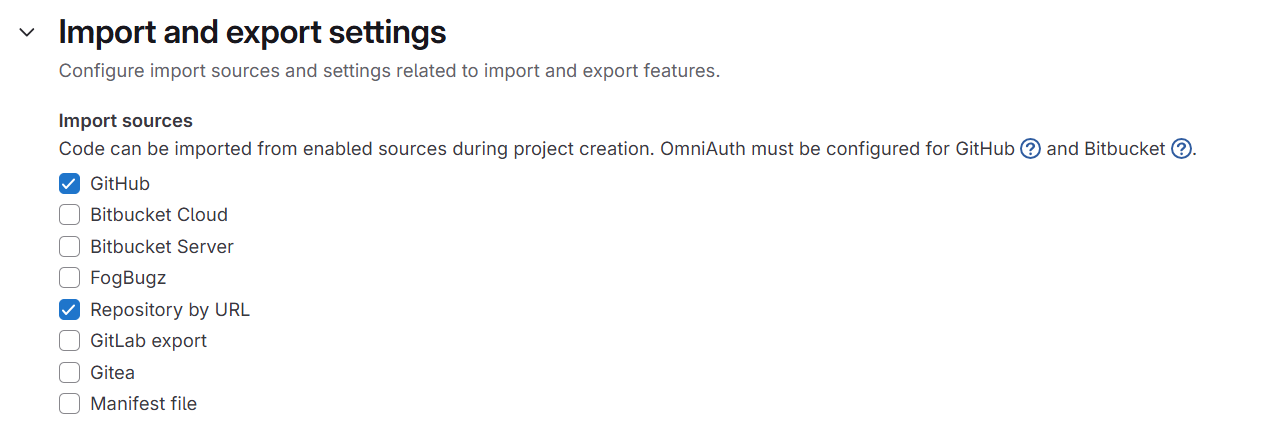
If disabled, GitLab may return the following:
insufficient_scope404
Even when your token is correctly configured.
👉 This is not a token issue, but a GitLab instance configuration restriction.
Troubleshooting
| Symptom | Likely cause | Fix |
|---|---|---|
AUTH_FAILED at connection | Wrong token or instance URL | Verify URL format (http:// or https://, no trailing slash) and re-copy token |
INSUFFICIENT_SCOPES at connection | Missing api scope | Edit or recreate the token with only api |
insufficient_scope during deployment (project creation) | Using limited scopes | Recreate the token with api |
insufficient_scope during template import | Import setting disabled | Enable “Allow imports from external URLs." |
| Repositories not loading | Missing or expired token | Reconnect with a valid token |
| Webhook not created | No api scope | read_api is not sufficient |
| Deploy fails at git clone | Missing api scope | Use api (covers HTTPS git access too) |
Key takeaway
For GitLab + Elestio CI/CD integrations:
Always use a Personal Access Token with the
apiscope nothing else will fully work.
Trying to minimize scopes here will break core deployment functionality.