API keys
Your tools and your code use an API key (an access key ID and a secret) to reach your buckets.
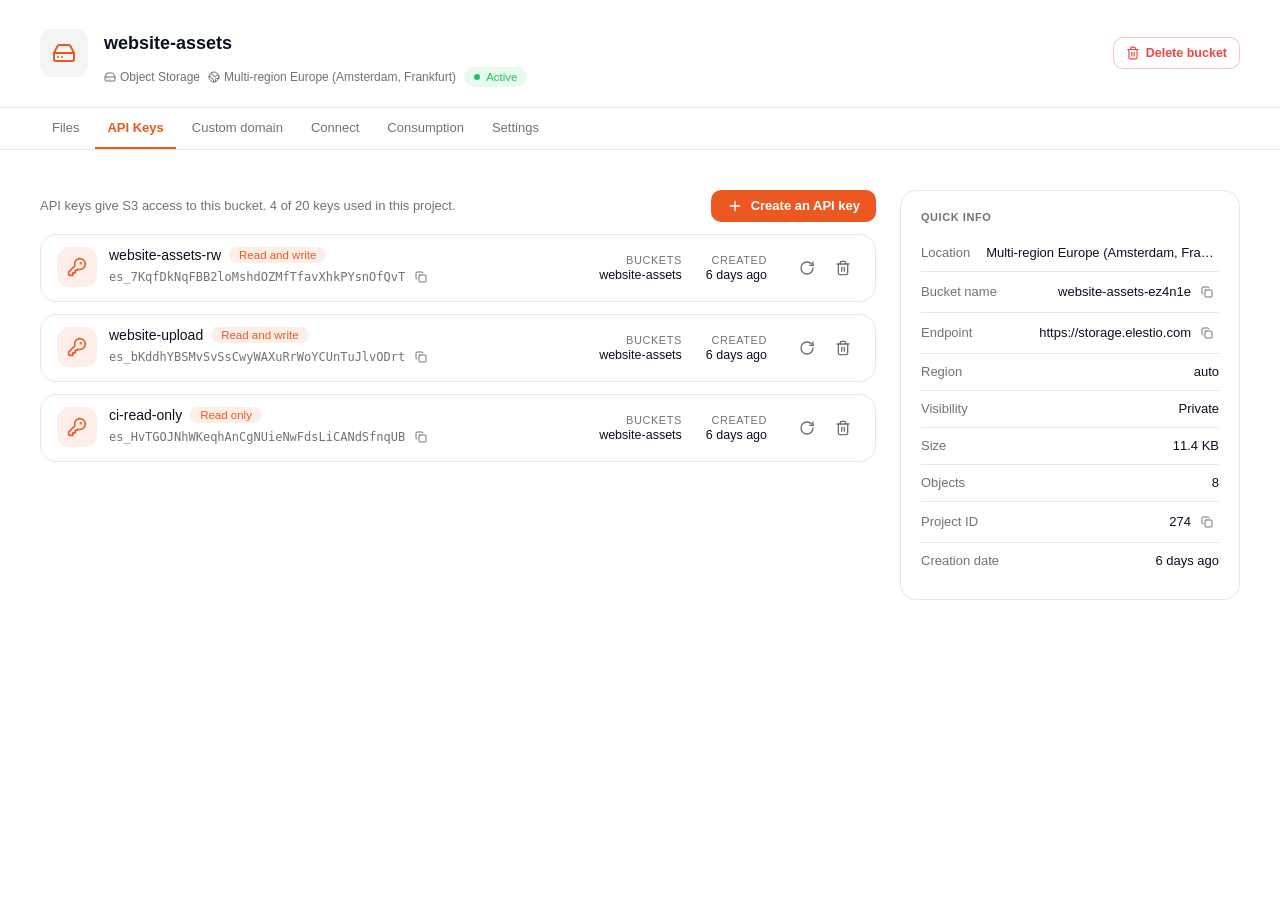
Create a key
In a bucket, open API Keys and click Create an API key.
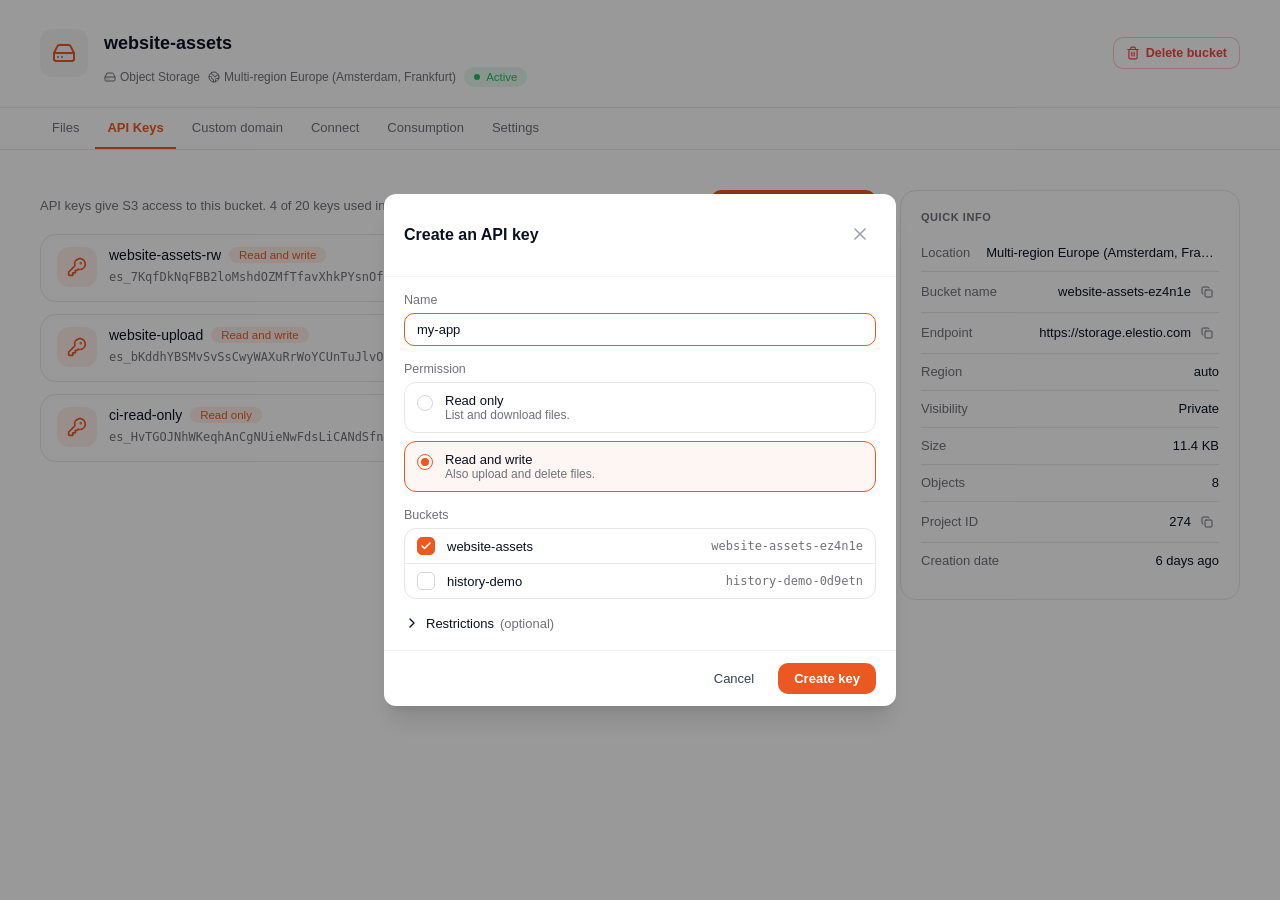
- Name: letters, digits or
+ = , . @ _ -only. - Permission:
- Read only: list and download files.
- Read and write: also upload and delete files.
- Buckets: tick every bucket the key can use.
- Restrictions (optional):
- Only these folders: files outside them cannot be read, written or deleted. The names of all files in the bucket stay visible when listing.
- Only from these IP addresses or ranges, one per line.
- Valid until a date (UTC).
warning
Copy the secret now: it is shown only once.
Rotate a secret
If a secret leaks or is lost, click Rotate the secret. You get a new secret, and the old one stops working.
Delete a key
Click the bin icon of the key. Every tool using it loses access immediately.
info
Only the owners and admins of the project can manage API keys. A project can have up to 20 keys.