
Lifecycle rules

Lifecycle rules move old files to a cheaper storage class, or delete them, after a number of days. Perfect for logs, exports and old backups.

In the bucket, open Settings > Lifecycle rules and click Add a rule.
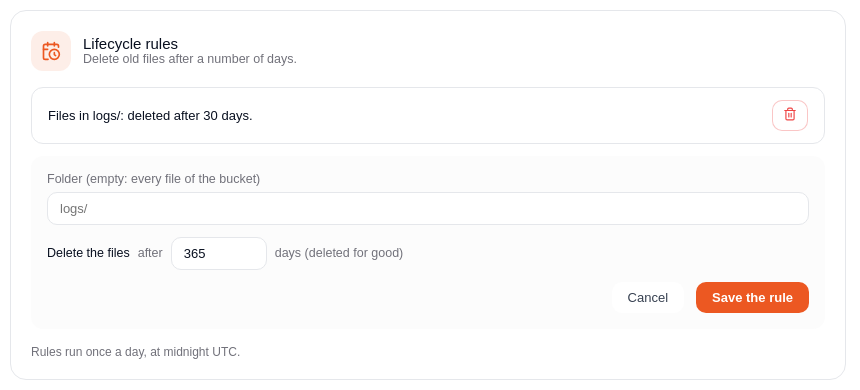
Adding a lifecycle rule

  1. Folder: the rule applies to the files of this folder. Leave empty for every file of the bucket.
  2. Move to a cheaper storage class after a number of days, and/or
  3. Delete the files after a number of days (deleted for good).
  4. Click Save the rule.

Rules run once a day, at midnight UTC. A bucket can have up to 10 rules.

Storage classes​

ClassStorage, single region or GlobalStorage, multi-regionReadingBilled at least
Standard$0.02 per GB per month$0.025 per GB per monthIncluded-
Infrequent access$0.01 per GB per month$0.015 per GB per month$0.01 per GB30 days
Archive, instant read$0.004 per GB per month$0.006 per GB per month$0.03 per GB90 days
Archive$0.004 per GB per month$0.006 per GB per monthRestore first90 days
warning

An Archive file must be restored before it can be read, which can take several hours. Use Archive, instant read for files you may need quickly.

Good to know​

  • Without any rule, files stay in Standard until you delete them.