Notifications
Your webhook is called when a file is uploaded, copied, deleted or renamed. Use it to process new files, update a search index or trigger a workflow.
In the bucket, open Settings > Notifications and click Set a webhook.
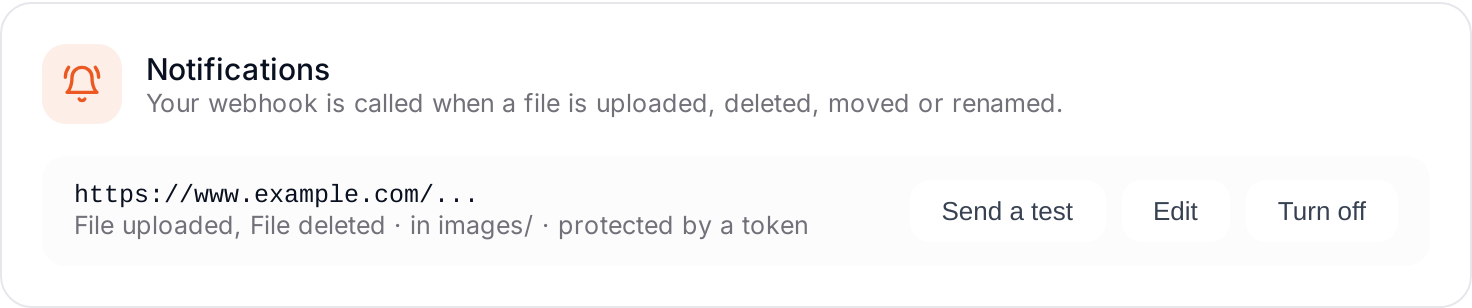
- Webhook address: an HTTPS address reachable from the internet.
- Events: tick the ones you need. None ticked means every event: file uploaded, large file uploaded (multipart), file copied, file deleted, file renamed.
- Folder (optional): only files in this folder.
- Protection of your webhook: a token (sent as
Authorization: Bearer) or a user and a password (Basic). It is sent with every call, so your webhook can check it. - Save, then click Send a test to check that your webhook answers.
What your webhook receives
A POST with a JSON body that lists the events, for example:
{
  "events": [
    {
      "eventName": "OBJECT_CREATED_PUT",
      "eventTime": "2026-10-07T13:23:37.391Z",
      "bucket": "media-k7x2qm",
      "object": { "key": "photos/beach.jpg", "size": 182934, "eTag": "..." }
    }
  ]
}
Several events can come in one call. Answer with a 2xx status code.
info
Events can arrive more than once or out of order: use the event time. Each event costs $0.01 per 1,000. The secret of your webhook is never shown again after saving.