Connect your code
Your bucket speaks the S3 protocol: any S3 tool or SDK works with it. The Connect tab of a bucket gives you ready-to-run examples.
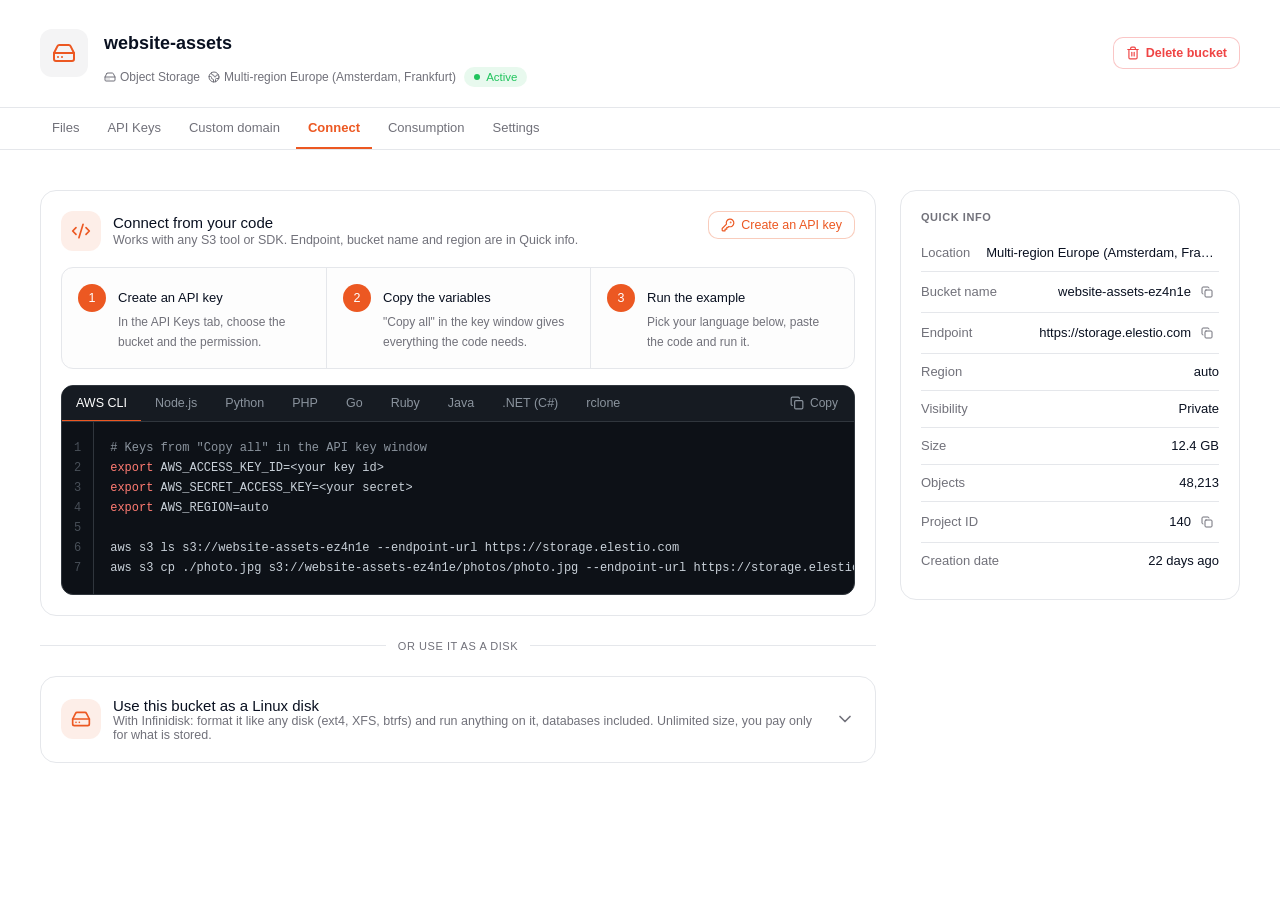
Step 1: get a key
In the API Keys tab, create a key for the bucket, with the permission you need.
Step 2: copy the variables
The endpoint, the bucket name and the region are in Quick info, on the right of the bucket page. Use them with your key:
export AWS_ACCESS_KEY_ID=<your access key ID>
export AWS_SECRET_ACCESS_KEY=<your secret>
export AWS_ENDPOINT_URL_S3=<the endpoint shown in Quick info>
export AWS_REGION=auto
export BUCKET=<the full bucket name, with its suffix>
The endpoint
Elestio Object Storage is served on storage.elestio.com (the value shown in Quick info). Two addressing styles work, so use whichever your tool defaults to:
- Path-style —
https://storage.elestio.com/<bucket>/<key>. Sethttps://storage.elestio.comas the endpoint. - Virtual-hosted —
https://<bucket>.storage.elestio.com/<key>. Most S3 SDKs use this automatically (in the AWS SDK it is controlled byforcePathStyle).
Both resolve to the same storage; you do not need to choose one.
Step 3: run an example
Pick your language in the Connect tab (AWS CLI, Node.js, Python, PHP, Go, Ruby, Java, .NET or rclone), copy the code and run it. Copy all in the window of your key gives everything the code needs. For example with the AWS CLI:
aws s3 cp ./photo.jpg s3://$BUCKET/photos/photo.jpg
aws s3 ls s3://$BUCKET/photos/
Other tools
- rclone: provider
Other, with the endpoint, the access key ID and the secret. - Cyberduck: open a connection of type Amazon S3, server = the endpoint, then the access key ID and the secret.
- SDKs (AWS SDK for JavaScript, Python boto3, Go, Java, PHP...): set the endpoint and the region
auto, keep everything else as for Amazon S3.