Import from another storage
Move the files of a bucket from Amazon S3, Cloudflare R2, Google Cloud Storage, Backblaze B2, DigitalOcean Spaces, Wasabi, Hetzner, MinIO or any S3-compatible storage. Your application can switch to the new bucket right away: a file not copied yet is fetched from your current storage when it is read.
Step 1: connect your current storage
Create the bucket that will receive the files, then open Settings > Import from another storage.
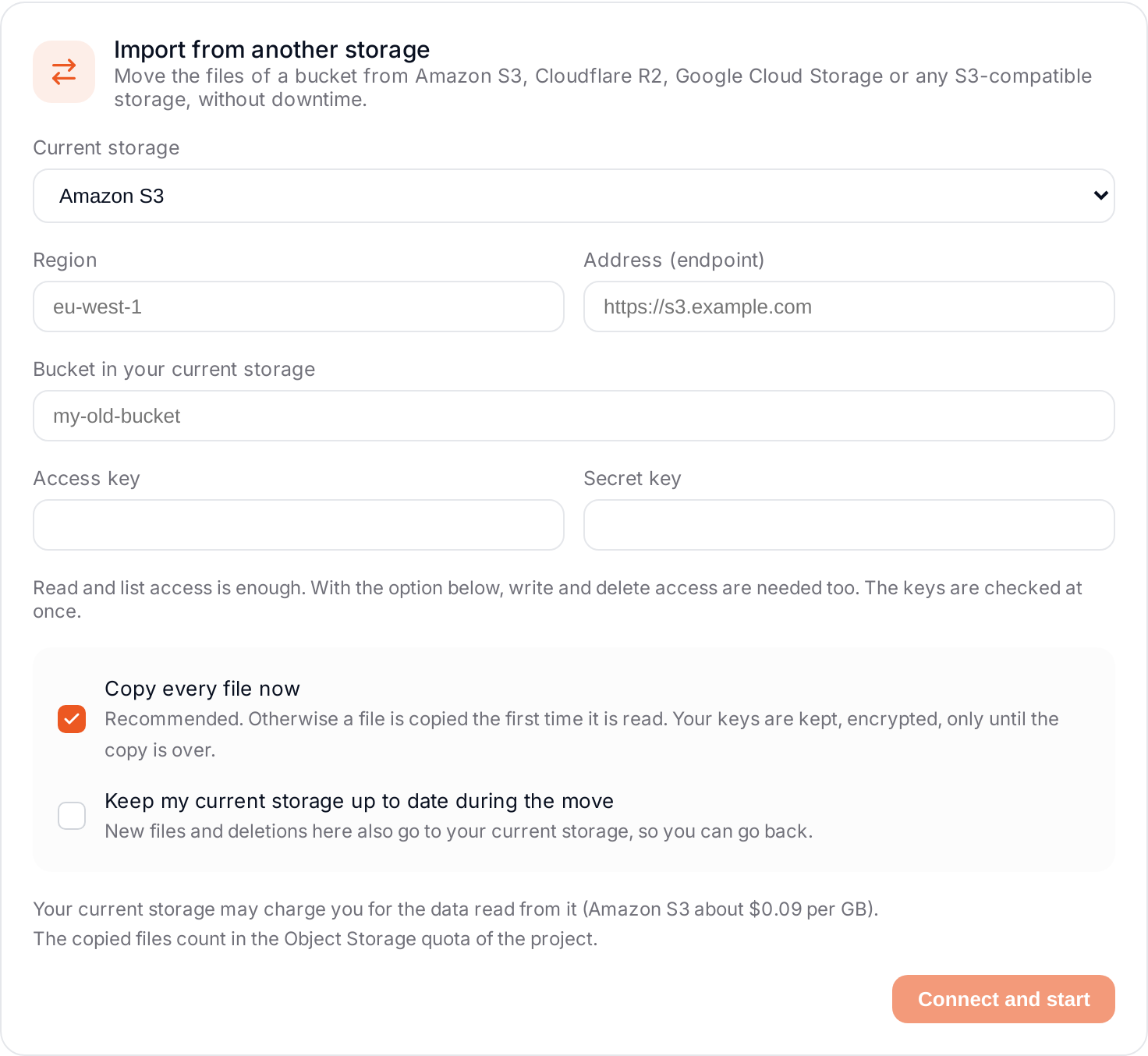
- Current storage: choose your provider. The address is filled in for the usual ones; for any other S3 storage, enter its address (endpoint) in HTTPS.
- Region (or Account ID for Cloudflare R2).
- Bucket in your current storage.
- Access key and Secret key of your current storage. Read and list access is enough. The keys are checked at once.
Step 2: choose the options
- Copy every file now (recommended): Elestio copies all the files in the background. Otherwise a file is copied only the first time it is read. Your keys are kept, encrypted, only until the copy is over.
- Keep my current storage up to date during the move: new files and deletions in the new bucket also go to your current storage, so you can go back. The keys then need write and delete access too.
With this option, a file deleted in the new bucket is also deleted in your current storage.
Click Connect and start.
Step 3: follow the copy
The section shows how many files are copied. When everything is copied, you receive an email with a button that opens the place to finish the migration.
Your current storage may charge you for the data read from it (Amazon S3 about $0.09 per GB). The copied files count in the Object Storage quota of the project.
Step 4: finish the migration
When your applications work with the new bucket, click Finish the migration. Your current storage is no longer used by this bucket. Nothing is deleted there: delete it yourself once you have checked your files.
The migration is never finished automatically, because your applications may still write to the old storage during the switch.
If not every file was copied, you are asked to confirm: files not copied are no longer reachable from the new bucket.