Network Firewall
tip
By default, only the ports required by your deployed application are open.
Restrict access by IP
From the dashboard, open Security, then Show Settings on the Firewall row.
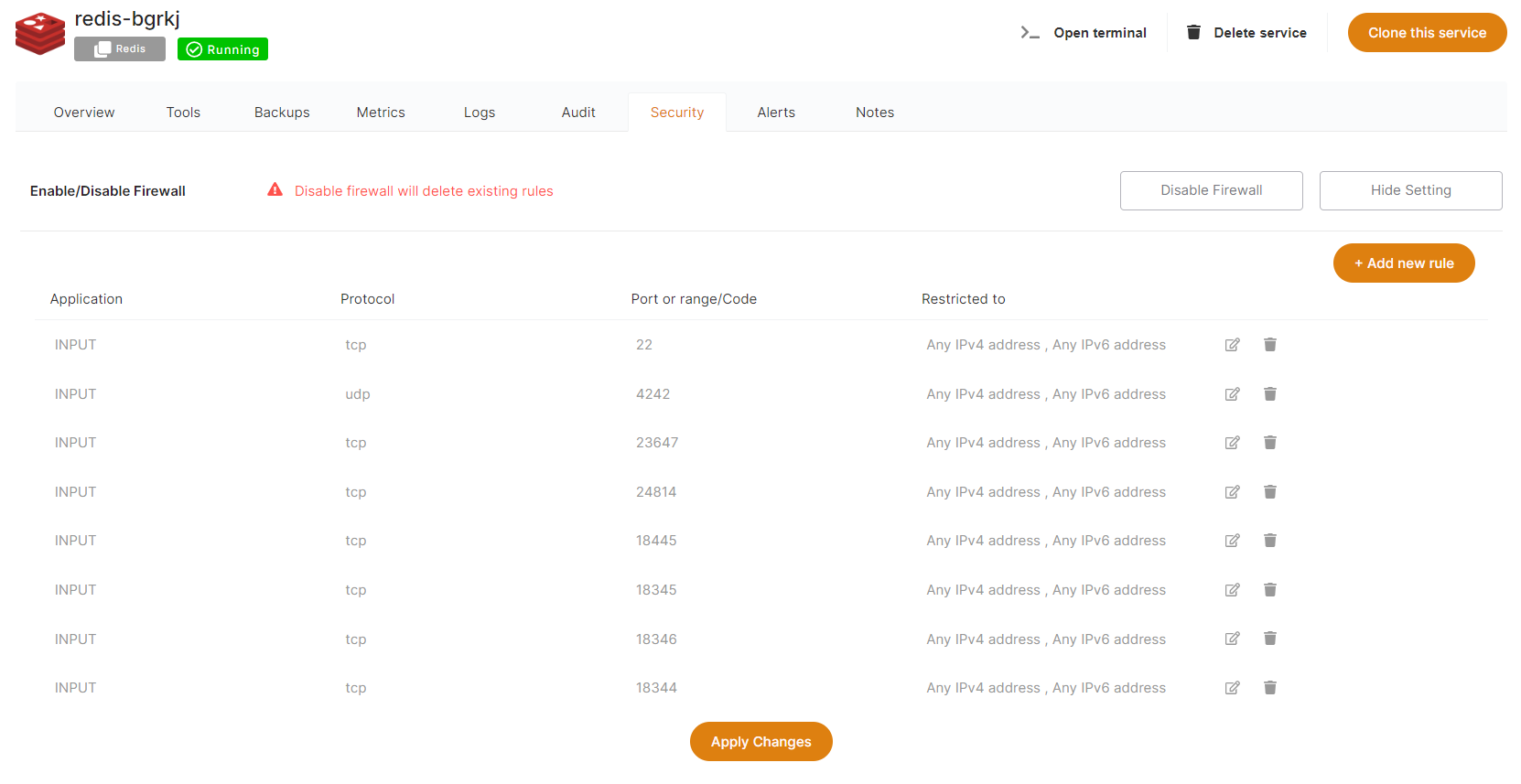
From there you can add, edit, or remove rules to open a port to the internet, or only to a specific target IP.
info
Every service comes preconfigured with firewall rules that match the software you deploy.
warning
Keep port 80 open to any IPv4/IPv6, or Let's Encrypt cannot generate an SSL certificate.
Ports used by Elestio automation
| Mandatory | Direction | Protocol | Port | Usage |
|---|---|---|---|---|
| Yes | Input | TCP | 22 | Automation SSH |
| No | Input | UDP | 4242 | Nebula / Global IP |
| No | Input | TCP | 18345 | VS Code |
| No | Input | TCP | 18374 | Open Terminal |
| No | Input | TCP | 18346 | File Explorer |
| No | Input | TCP | 18445 | Tail Logs |
| No | Input | TCP | 18344 | Terminal |
Ports marked No are needed only if you use the matching tool and have enabled the global private IP feature.