Nginx Configuration
Elestio runs an Nginx (OpenResty) reverse proxy in front of your service. You can customize it per-site or globally.
Edit the site configuration
From the service overview, open the Security tab, click Nginx configuration, then Config.
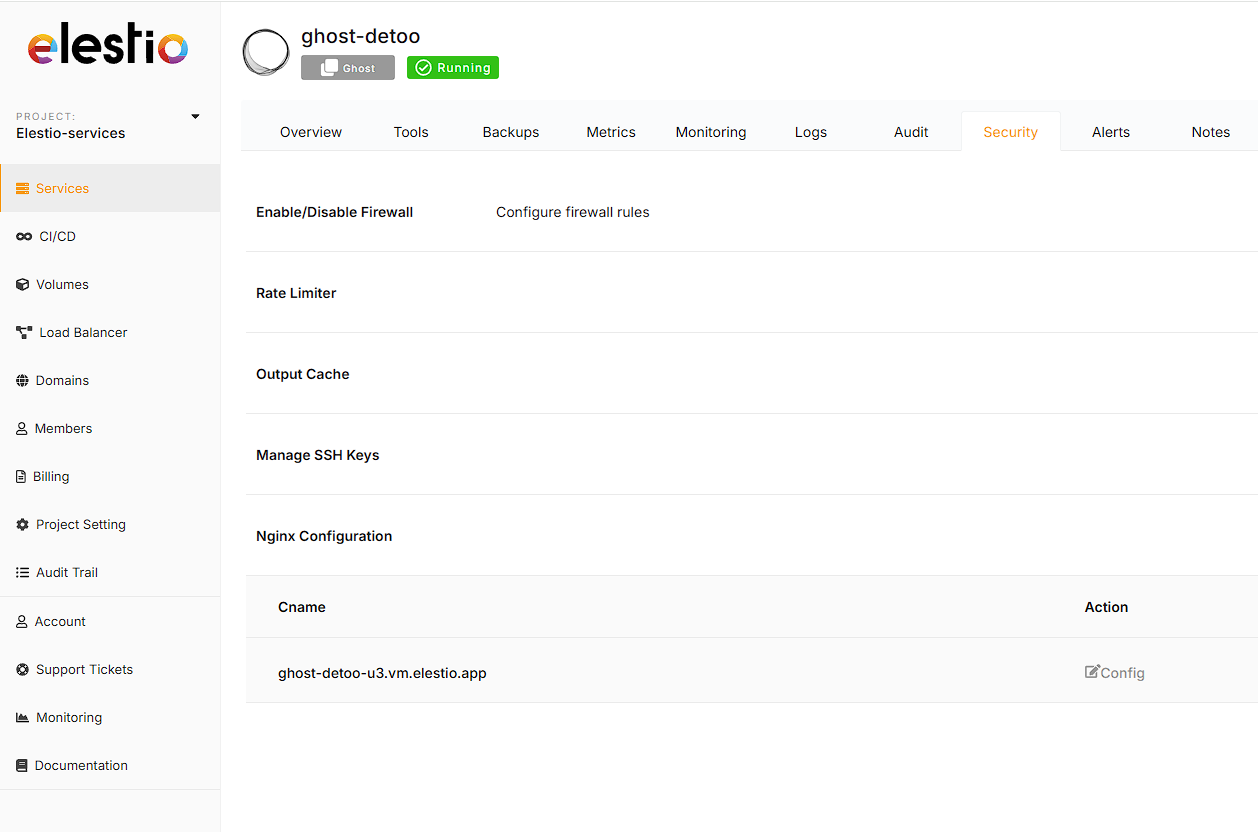
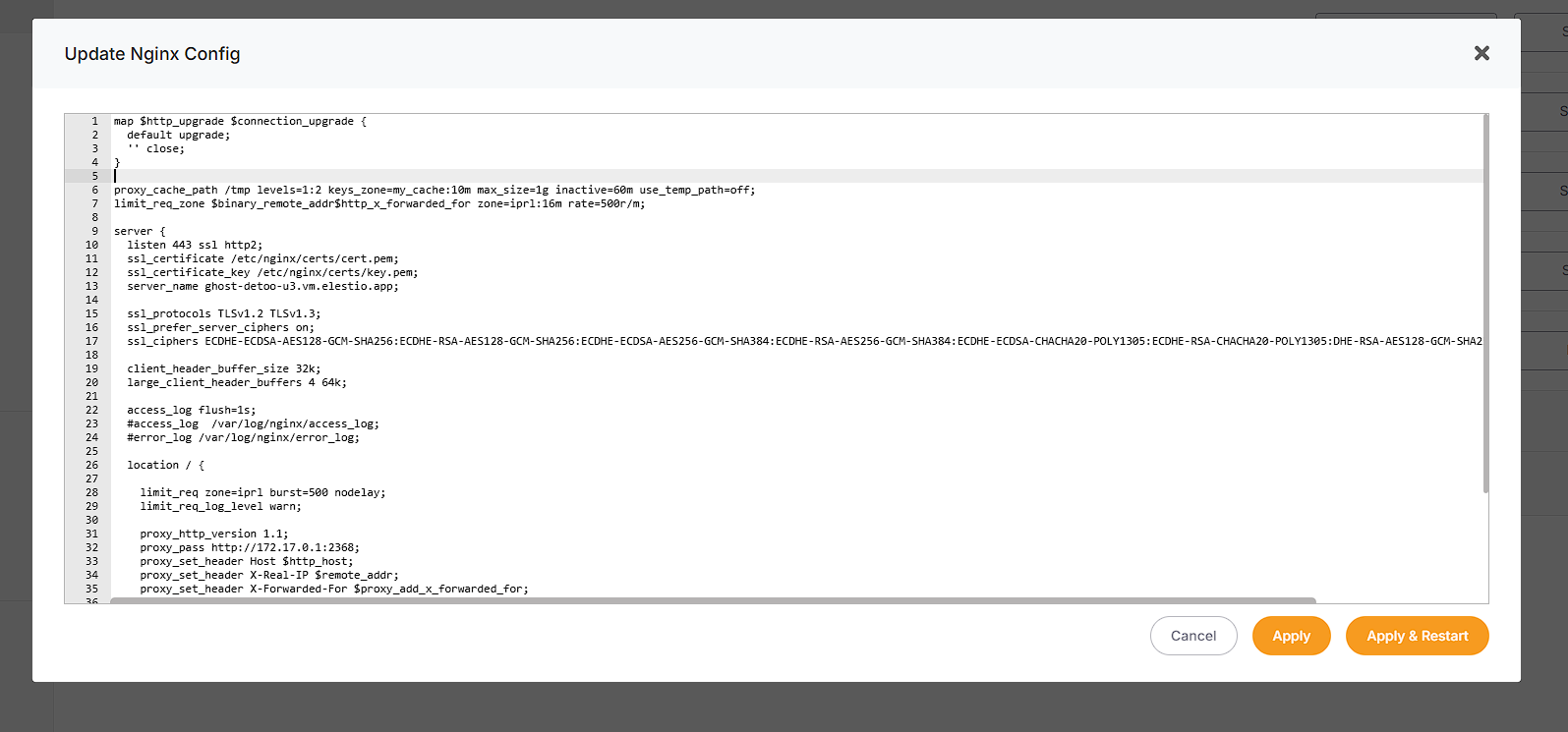
You can edit the site config for the default Elestio subdomain and your custom domain: add or remove headers, configure the reverse proxy, and much more.
Edit the global configuration
To customize the global Nginx config:
1. Create a file named nginx.conf in /opt/elestio/nginx/.
2. Paste this content, then adjust it to your needs:
worker_processes auto;
worker_rlimit_nofile 100000;

events {
  worker_connections 4000;
}

http {
  include mime.types;
  default_type application/octet-stream;
  sendfile on;
  tcp_nopush on;
  tcp_nodelay on;
  server_tokens off;

  # reasonable defaults
  client_header_timeout 10m;
  client_body_timeout 10m;
  send_timeout 10m;
  client_max_body_size 5120M;

  connection_pool_size 256;
  client_header_buffer_size 32k;
  large_client_header_buffers 4 64k;
  request_pool_size 4k;

  server_names_hash_bucket_size 4096;

  output_buffers 1 32k;
  postpone_output 1460;

  proxy_buffer_size   128k;
  proxy_buffers   4 256k;
  proxy_busy_buffers_size   256k;

  ignore_invalid_headers on;

  # enable gzip support
  include server-gzip.conf;

  # auto-ssl lua magic for automatic generation of certs
  include resty-http.conf;

  server {
    listen 80 default_server;
    include resty-server-http.conf;
  }

  include /etc/nginx/conf.d/*.conf;
}

stream {
  include /etc/nginx/streams/*.conf;
}
3. Edit /opt/elestio/nginx/docker-compose.yml and add this line under volumes:
- /opt/elestio/nginx/nginx.conf:/usr/local/openresty/nginx/conf/nginx.conf
It should look like this:
version: "2"
services:
  nginx:
    image: elestio/nginx-auto-ssl:latest
    container_name: elestio-nginx
    restart: always
    network_mode: "host"
    volumes:
      - /opt/elestio/nginx/nginx.conf:/usr/local/openresty/nginx/conf/nginx.conf
      - /opt/elestio/nginx/ssl_data:/etc/resty-auto-ssl
      - /opt/elestio/nginx/conf.d:/etc/nginx/conf.d
      - /opt/elestio/nginx/streams:/etc/nginx/streams
      - /opt/elestio/nginx/logs:/var/log/nginx/
      - /root/.acme.sh/vm.elestio.app/fullchain.cer:/etc/nginx/certs/cert.pem
      - /root/.acme.sh/vm.elestio.app/vm.elestio.app.key:/etc/nginx/certs/key.pem
    env_file:
      - .env
4. Restart Nginx:
cd /opt/elestio/nginx/;
docker-compose down;
docker-compose up -d;
The reverse proxy now uses your custom global configuration.